
Building a stronger foundation for the ClassPass app
PROJECT TYPE
Design system, UI kit, product design, documentation
1 Semester
client
ClassPass
DURATION
team
4 product designers
my role
Product designer / design systems contributor
deliverables
Interface inventory, Figma UI kit, accessibility-audited component library, ZeroHeight documentation site, final pitch deck

ClassPass has a strong product, but its interface needs a stronger system.
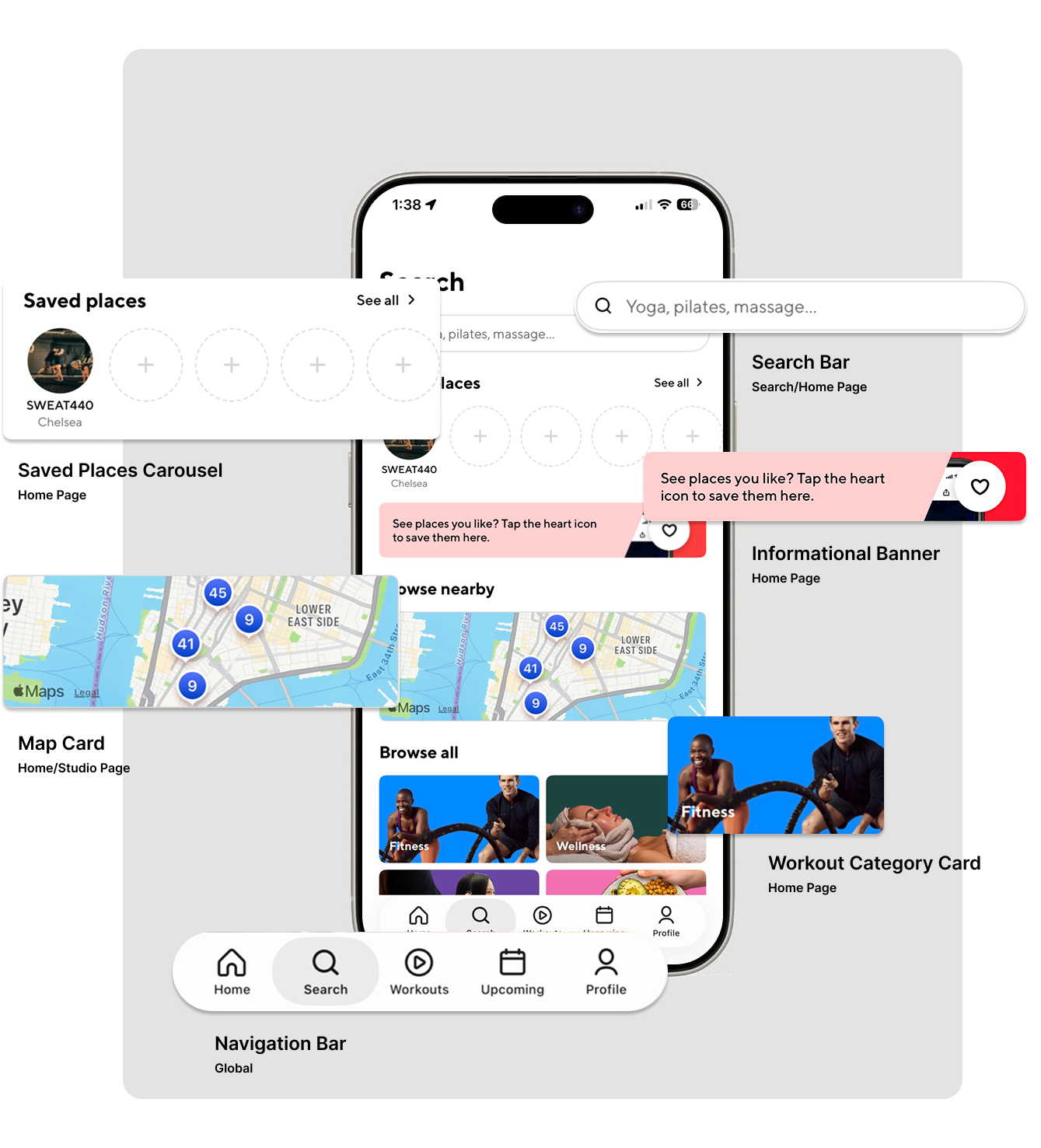
ClassPass helps users discover, compare, and book fitness and wellness experiences. But as we examined the app more closely, we noticed that the interface did not always feel as strong or seamless as the service itself.
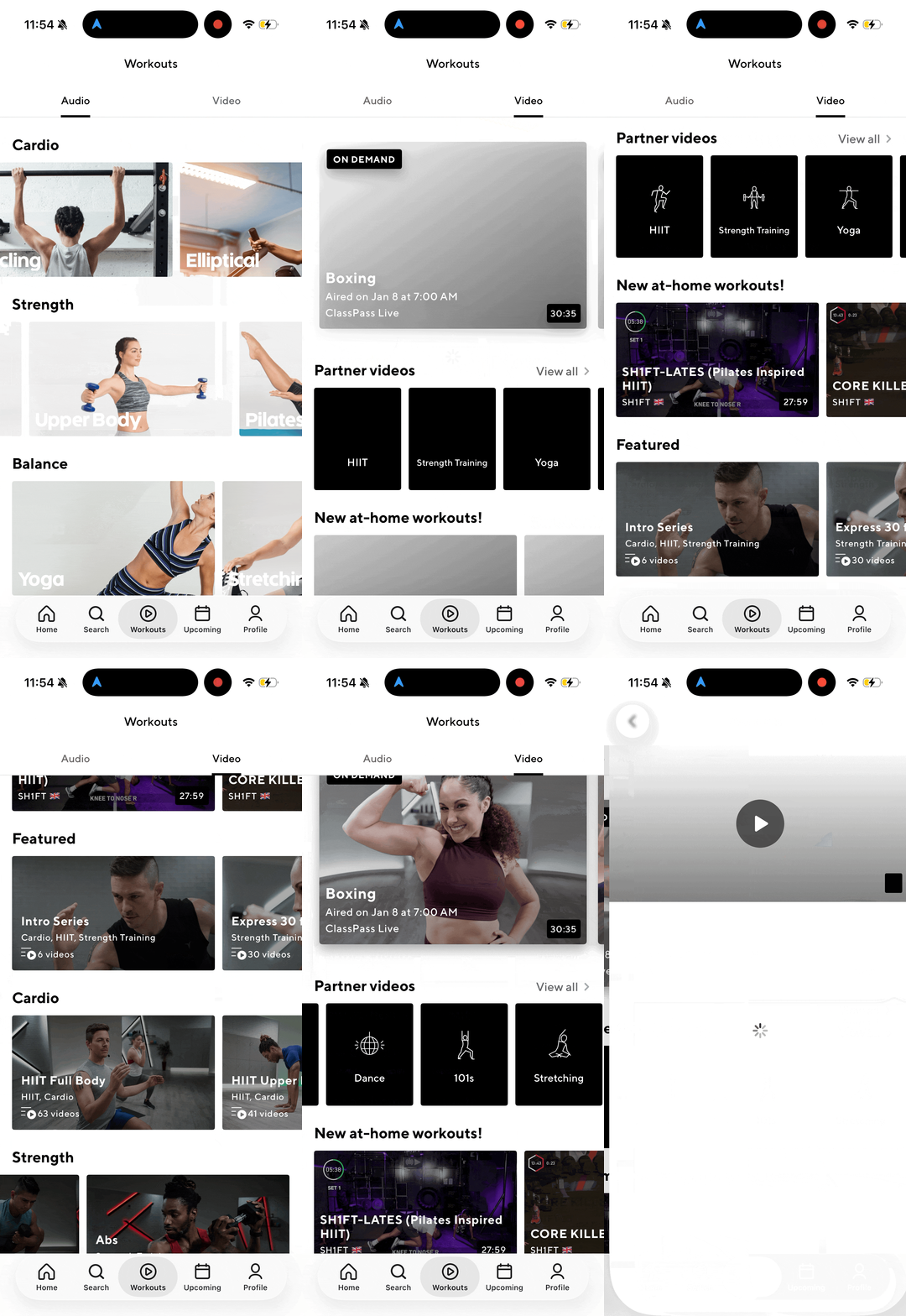
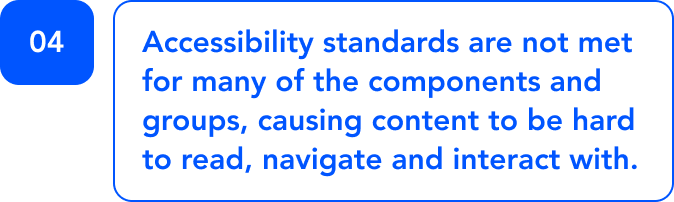
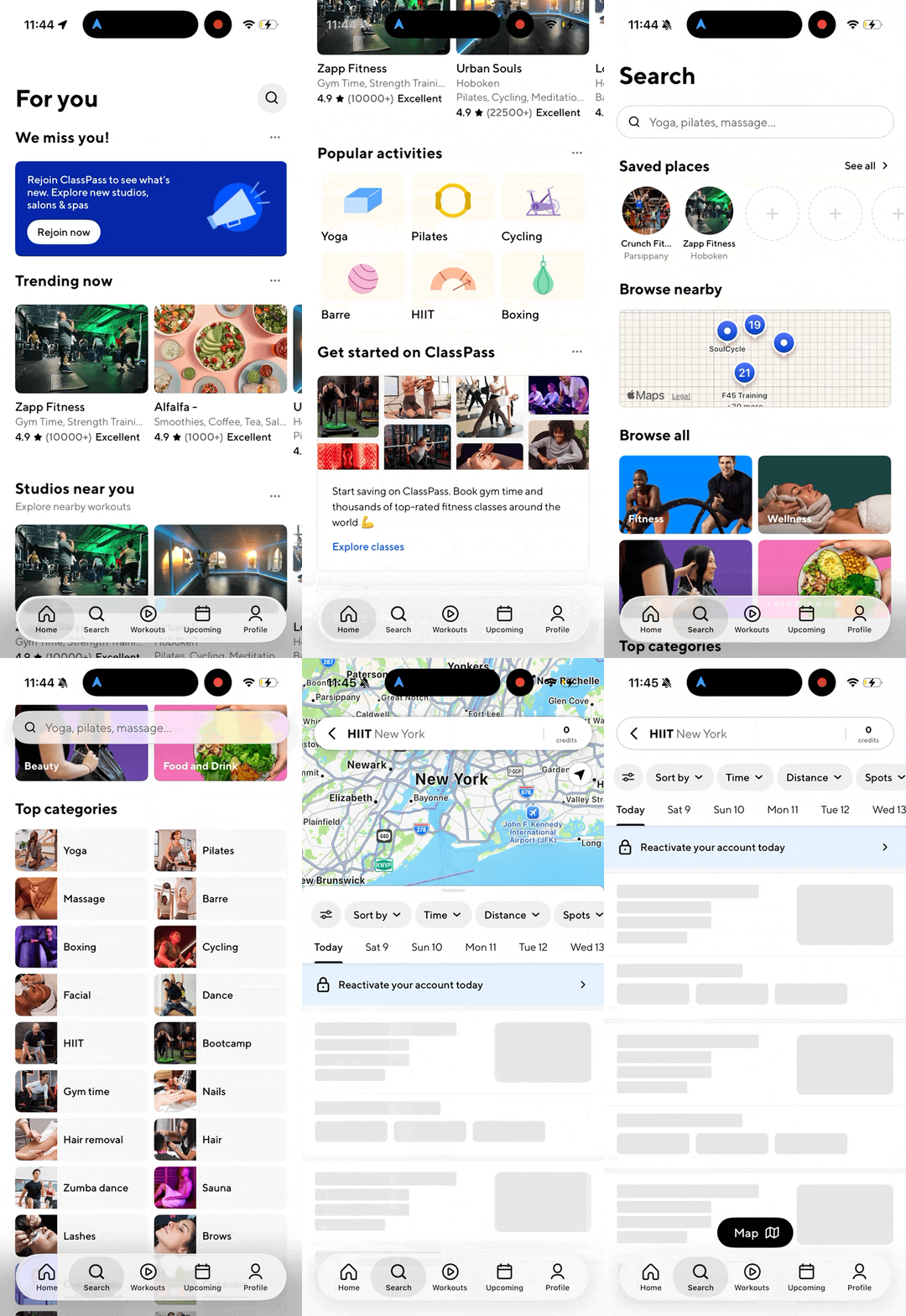
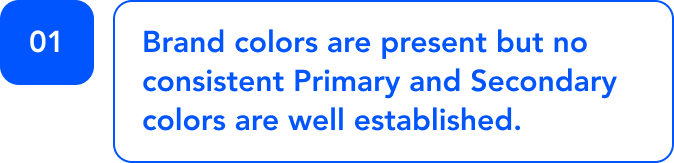
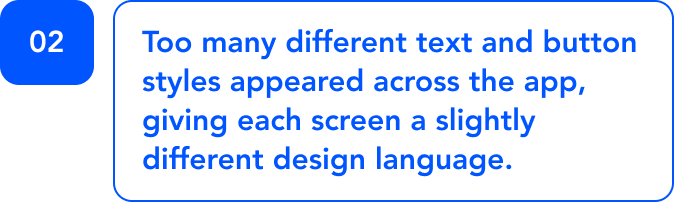
These inconsistencies created a larger design challenge:
how cAN ClassPass continue scaling its product experience without creating more design debt?
Our answer
a design system built to make the ClassPass app more consistent, scalable, accessible, and easier for teams to use.
HERCULES

WHY “HERCULES”?
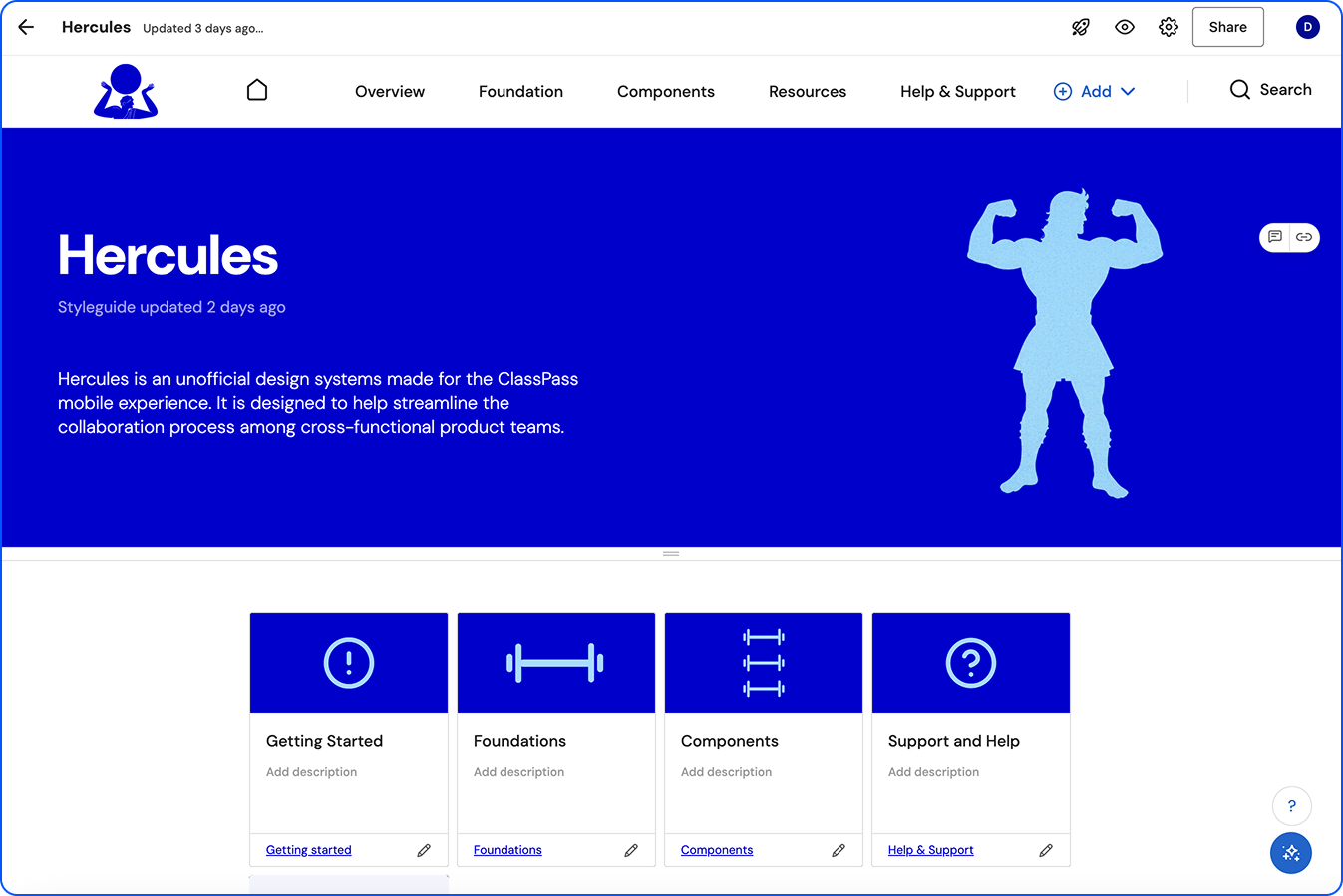
We named the design system Hercules because ClassPass is rooted in fitness, strength, movement, and personal growth. Hercules represents strength and reliability, which aligned with what we wanted the system to provide for ClassPass.
The final Hercules system included two major artifacts:
A complete Figma UI kit
A ZeroHeight documentation site
Together, these created both the design assets and the instructions needed to use them correctly.
HOW DOES HERCULES MAKE A DIFFERENCE?- Lauren Loprete.
It helps the designers and developers of ClassPass to have a shared language that establishes guidelines for both consistency and collaboration.
To create this system our team established the following key principles:
“A CULTURE CHANGE DISGUISED AS A UI KIT”
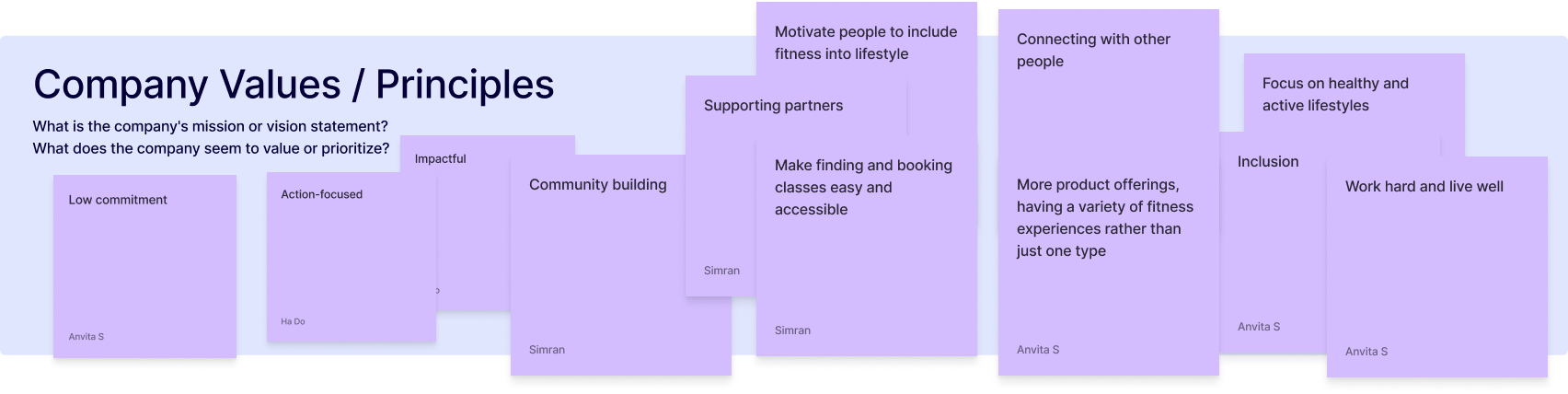
Clarity over cleverness. Every element should communicate its purpose immediately. Progressive disclosure keeps each screen focused on one goal at a time. If it needs explaining, it needs simplifying.
UNDERSTANDABLE & USABLEFrictionless by default. ClassPass's product promise is that fitness should be easy to start, easy to try, and easy to leave. The design system should enforce this: booking a class should feel lighter than it is
Low commitmentEvery color token must meet WCAG AA contrast. Every interactive element must be reachable by keyboard and screen reader. Designing for the edges of your user base makes the centre easier for everyone.
Accessible & inclusiveClassPass is about motivation and getting people excited to move. The design system should carry some of that energy. This isn't about gratuitous animation or decorative noise, It's about moments that reward the user.
Enjoyable, delightful & human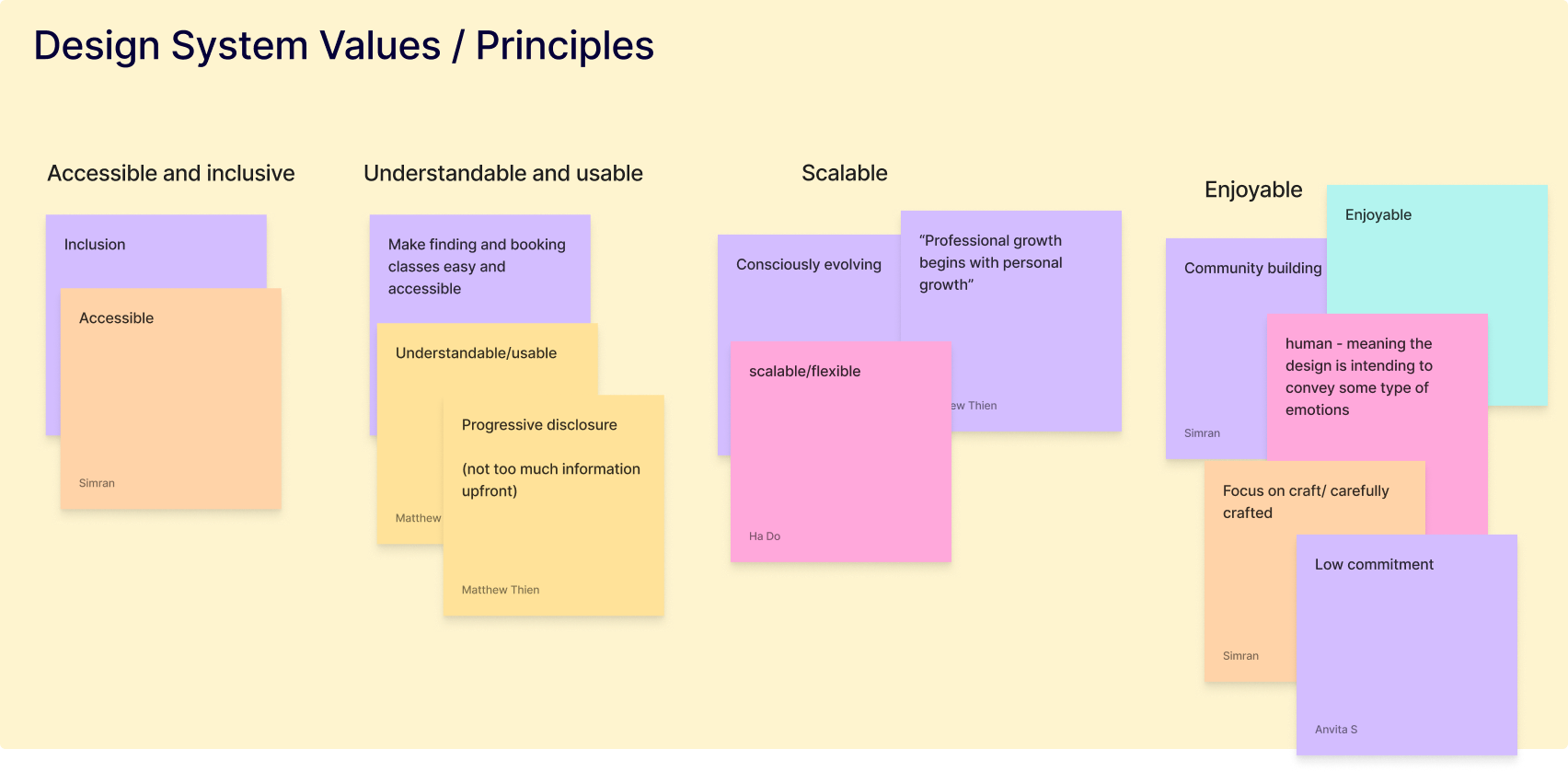
The system should be easy to extend and hard to break. New contributors should be able to add components without introducing inconsistency. Tokens, not hardcoded values. Semantic naming, not literal.
Consciously scalableMY CONTRIBUTION:
01. Deconstruction
During the exploratory phase of our project, I took the lead in identifying and organizing all larger component groups such as cards, banners and carousels into “blocks”.
02. recreation
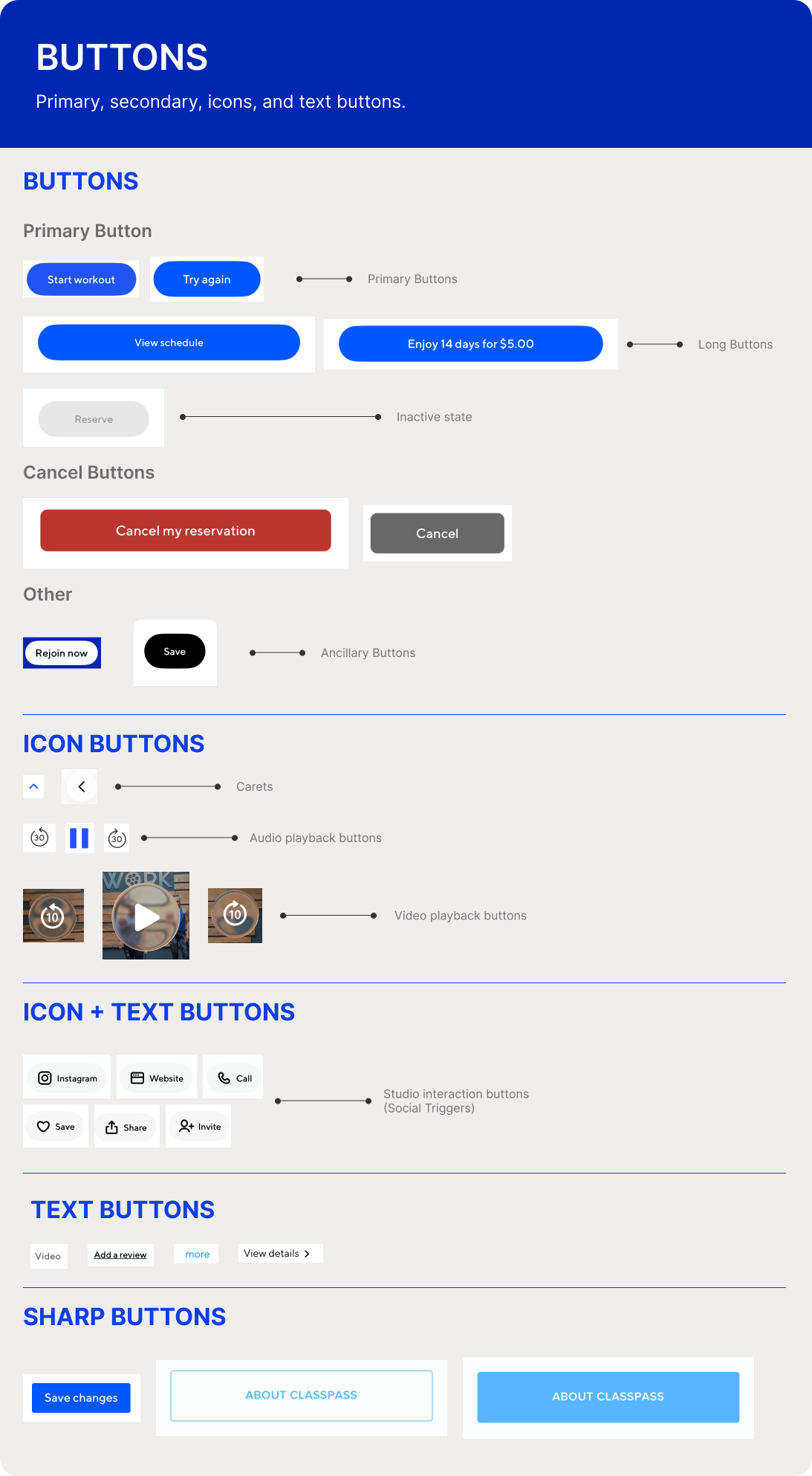
I held the responsibility for designing the buttons, pills, tabs, banners, list items, headers and some cards. Here I was also refining these elements to create visual consistency that the app is currently missing.
03. documentation
I formatted and built the documentation pages for our design system in Zeroheight. My primary focus was on the components pages; generating their design, anatomy and guidelines.
Each phase helped us move from observation to structure, and from structure to a system that could be adopted by real teams.

Breaking down the app TO STUDY THE interface inventory
Before designing new components, we needed to understand what already existed. We collaboratively built an interface inventory in Figma, following Brad Frost’s approach of collecting the visible parts of an interface and sorting them into meaningful categories.
We captured and organized UI elements across the ClassPass app, including but not limited to: colors, typography, icons, buttons, inputs, cards, navigation elements, filters, Studio and class detail elements and media.
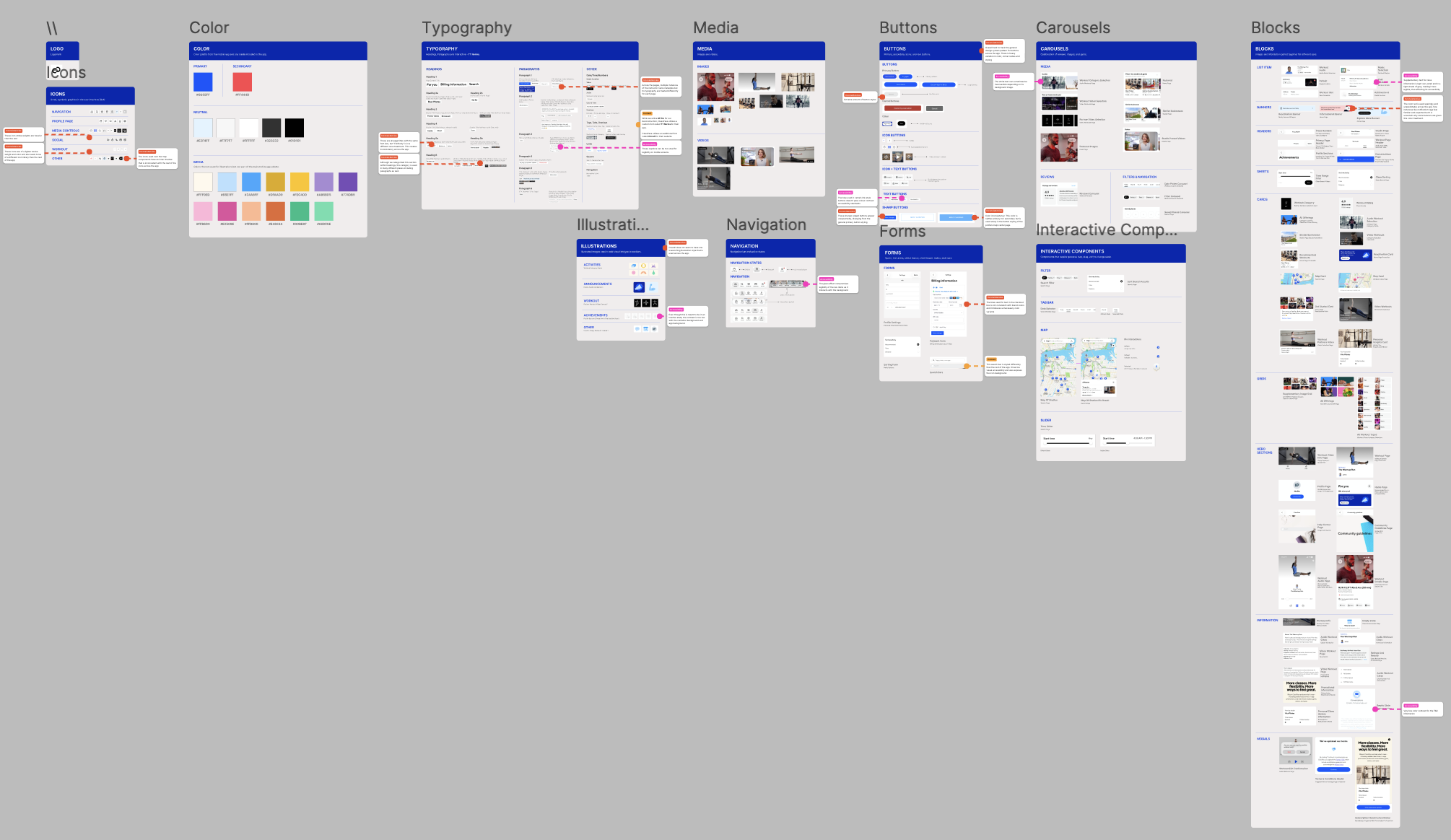
The inventory revealed that ClassPass had many strong individual interface elements, but they were not always working as one system.
We found:
Similar buttons with different sizes, colors, and states
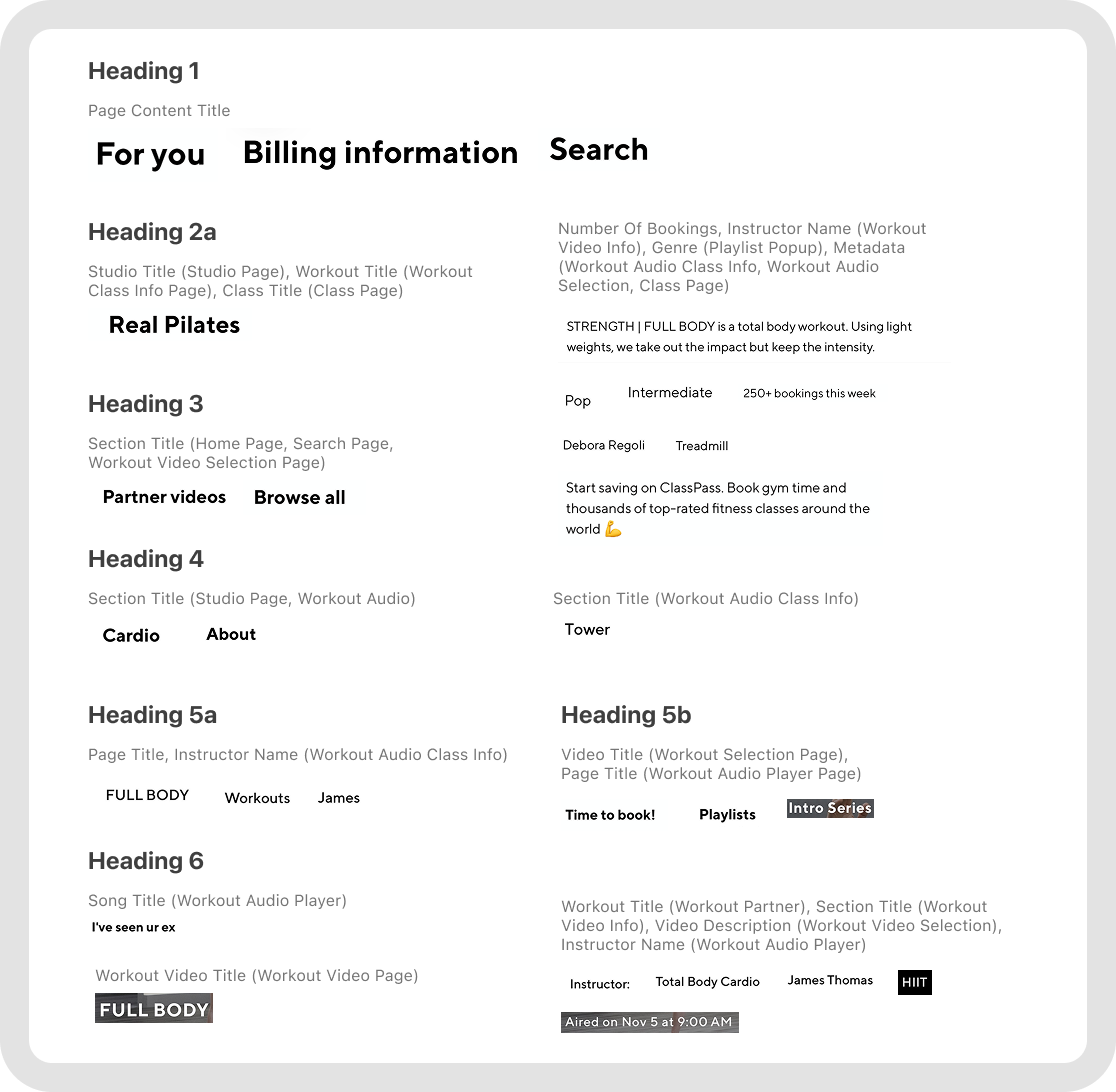
Multiple typography treatments for similar content types
Iconography that did not always feel visually unified
Repeated card patterns that could be consolidated
Inconsistent hierarchy across discovery, booking, and account flows
The interface inventory gave us the evidence and we were able to point to specific patterns and show where the product experience was breaking down.
CORE PROBLEM:
INCONSISTENCY
Too many different icons styles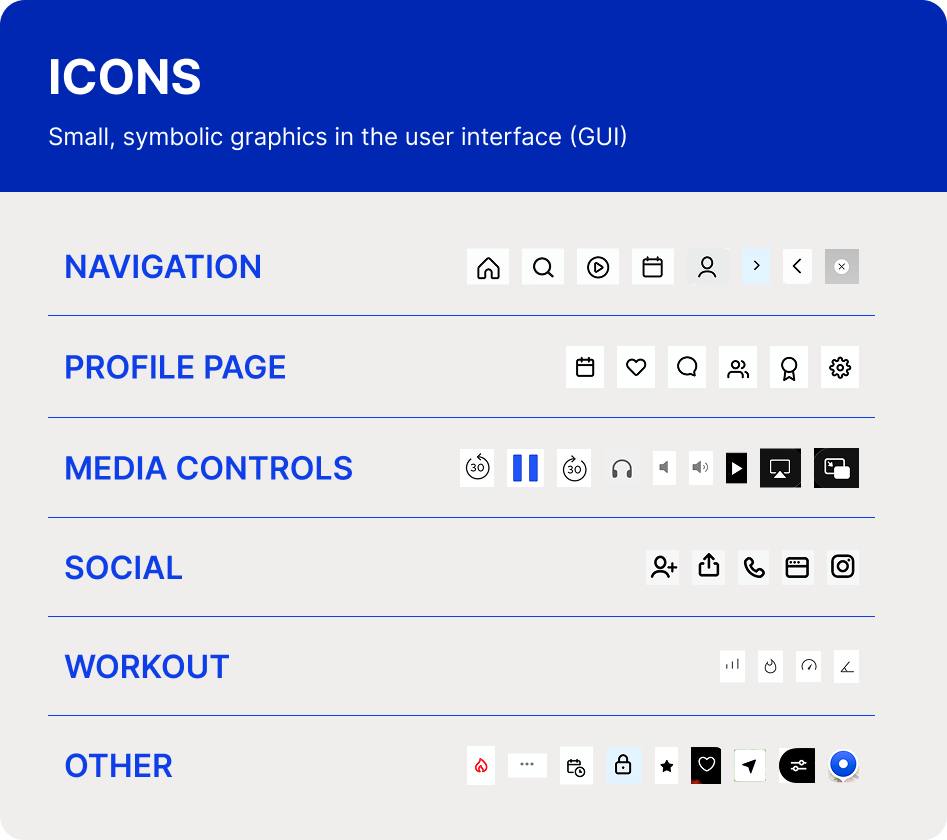
Too many DIFFERENT button stylesToo many DIFFERENT text styles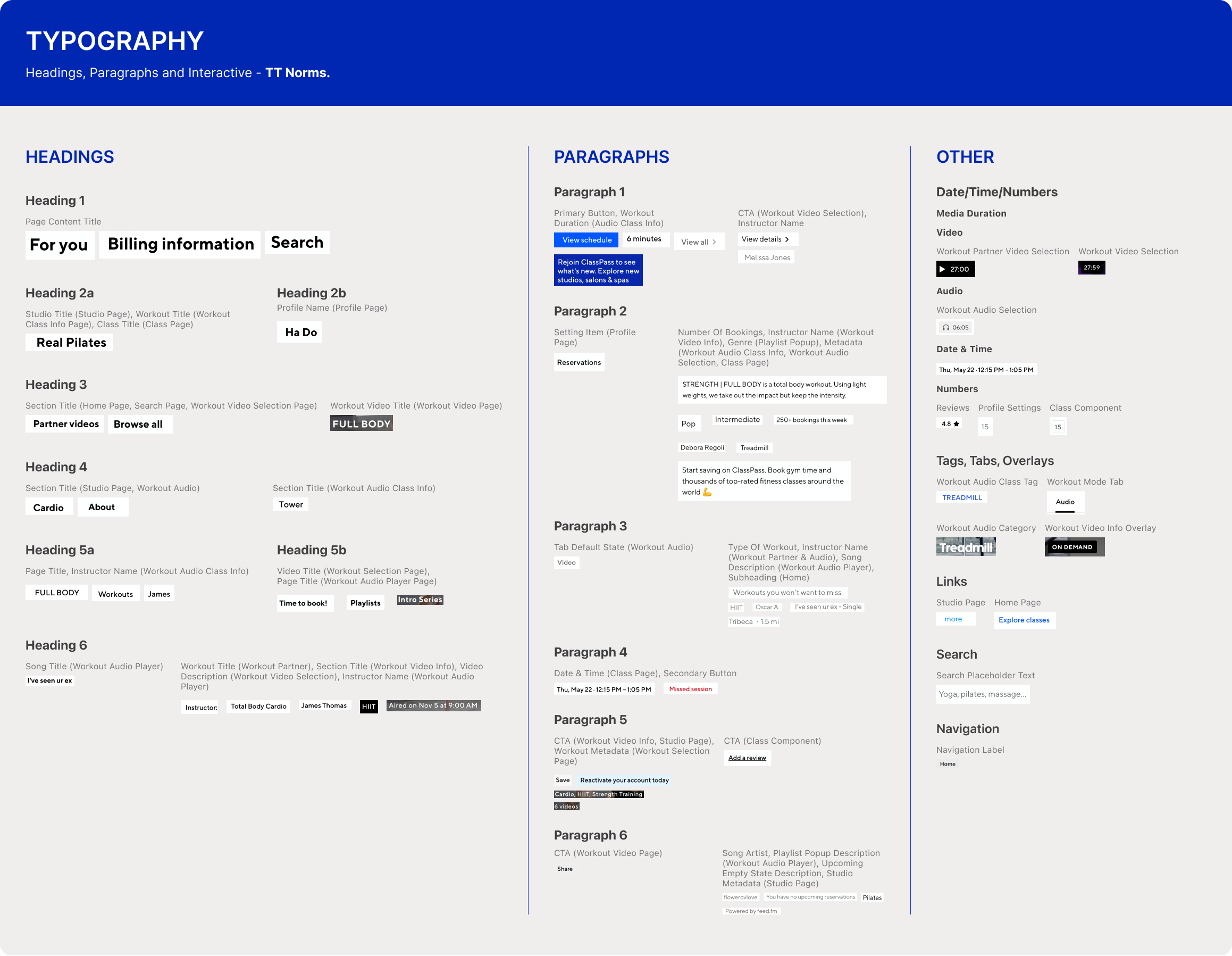


We turned the scattered interface elements into reusable system foundations.
After the audit, we began building the UI kit in Figma. Our goal was to create a comprehensive, usable, and accessible component library that could support ClassPass’s current experience and future growth.
We built the system from the smallest pieces upward, starting with foundational components like color, typography, and spacing.
RE-BUILDING FROM THE GROUND UP
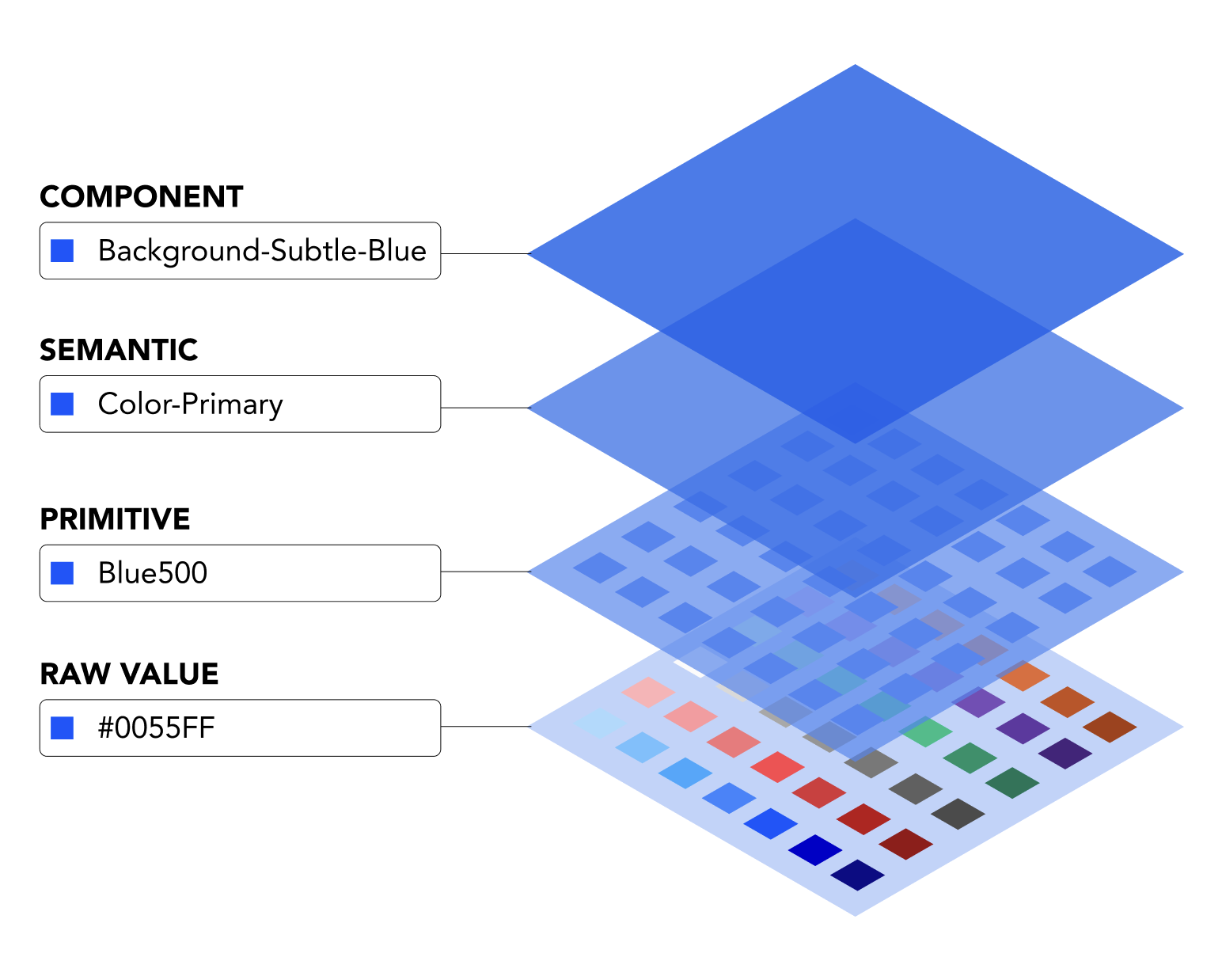
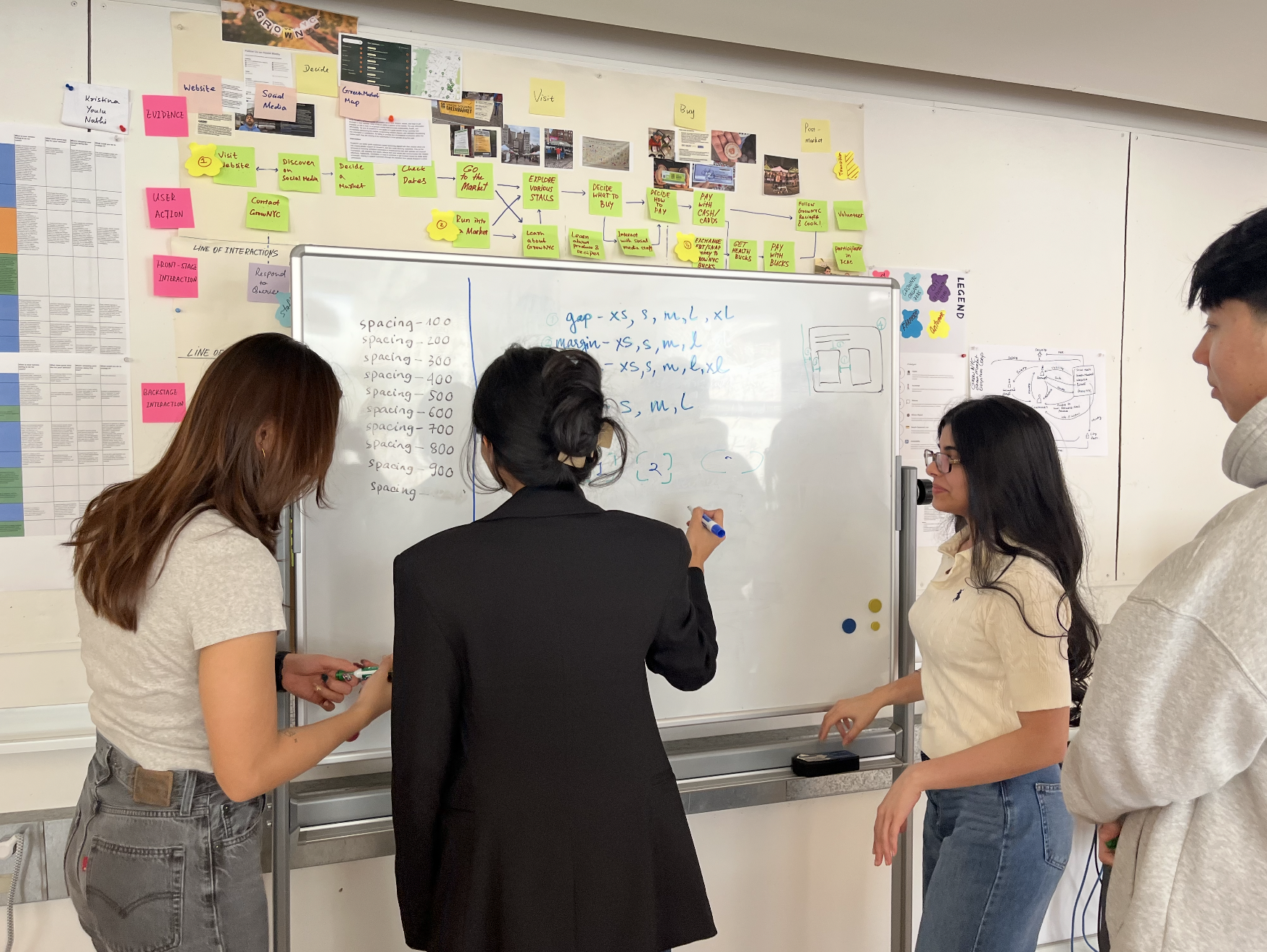
TOKEN STRUCTUREWe started by establishing design tokens in Figma to create a stronger foundation for the system. These tokens gave our team clear rules to design from and provided developers with a consistent visual language for implementation.
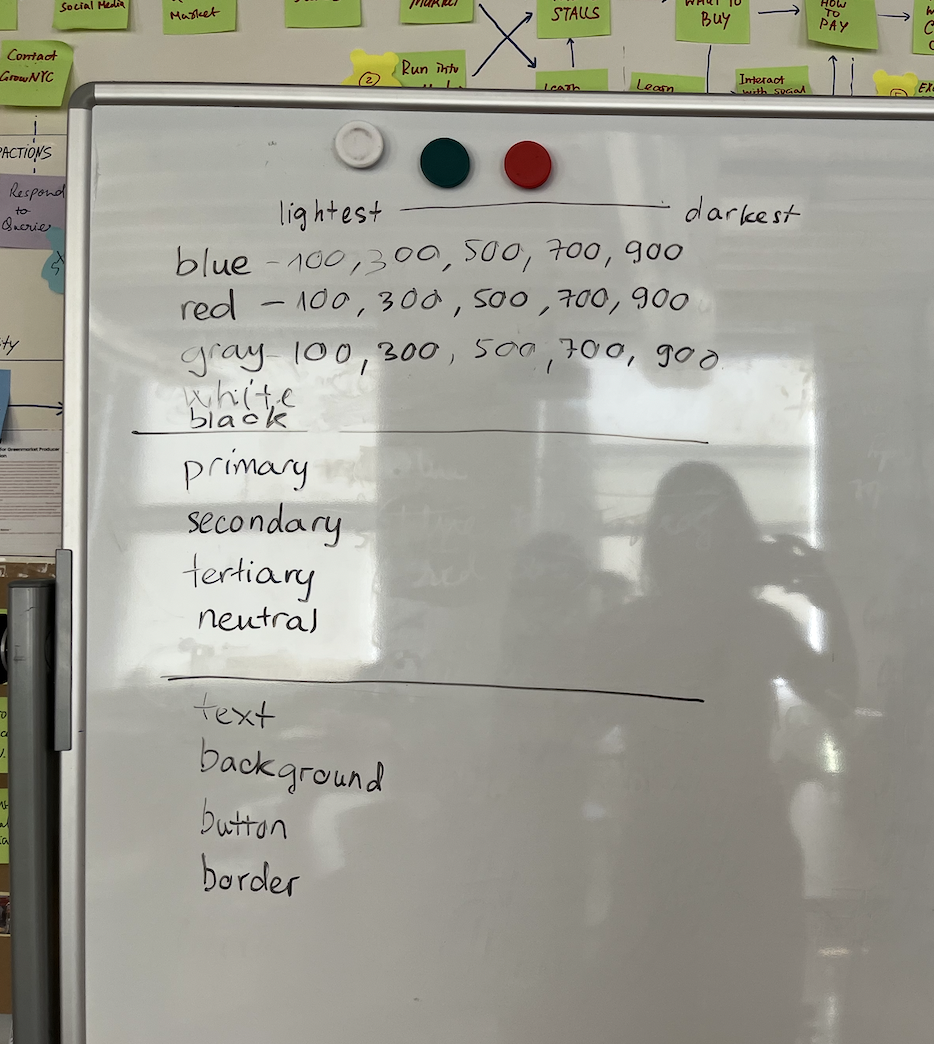
During this time our team faced a bit of a challenge in finalizing the breath of primitive values we should be having, along with the particular naming conventions that would be most effective.
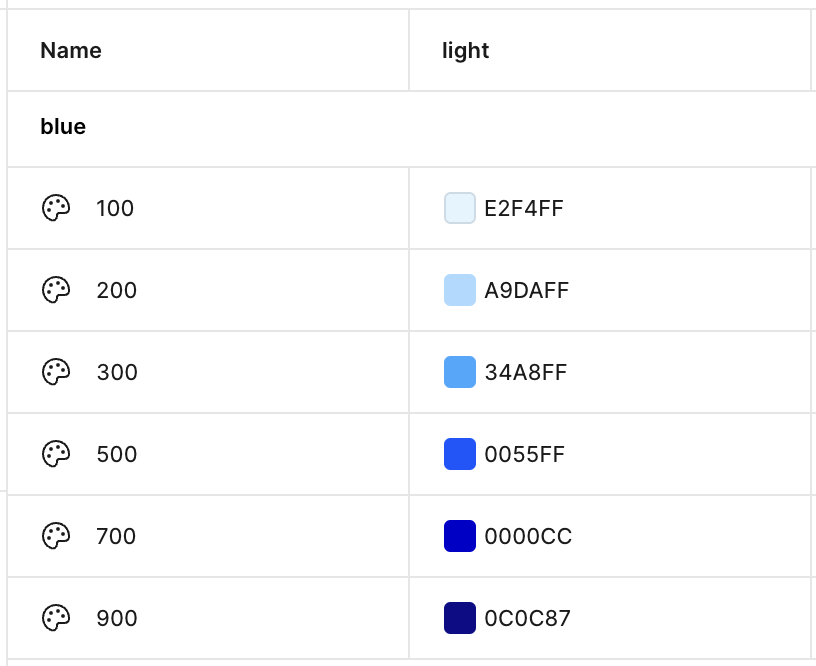
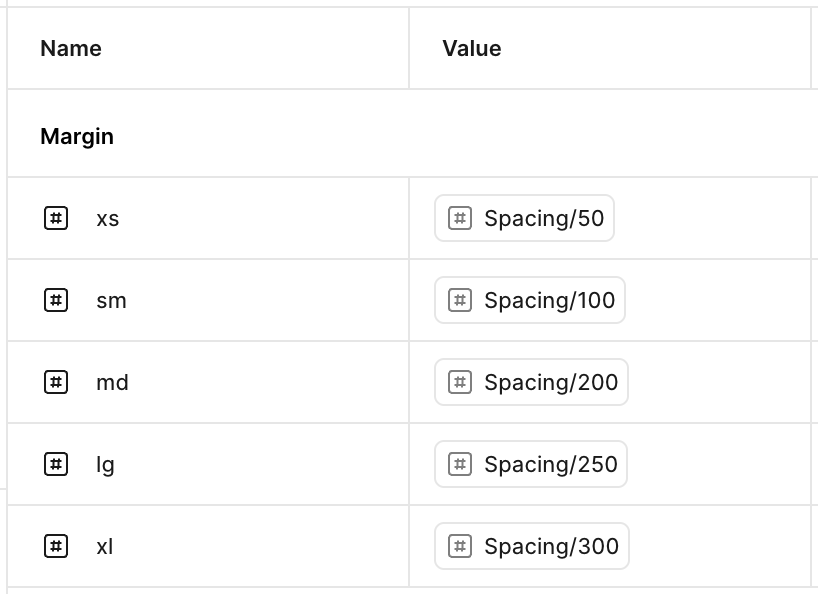
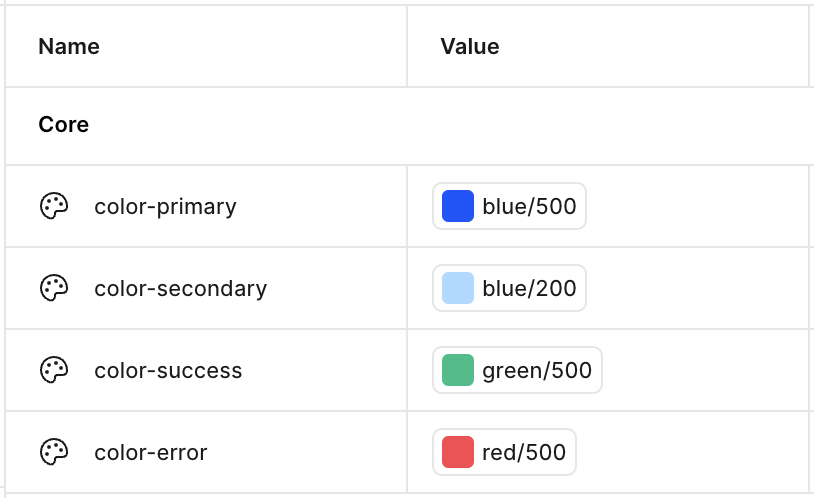
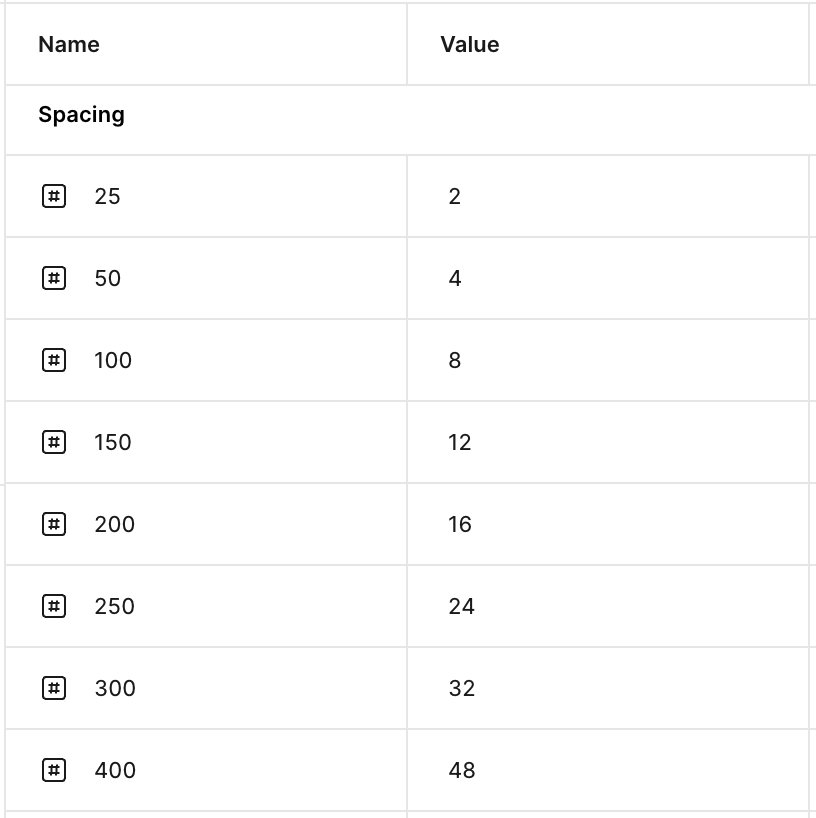
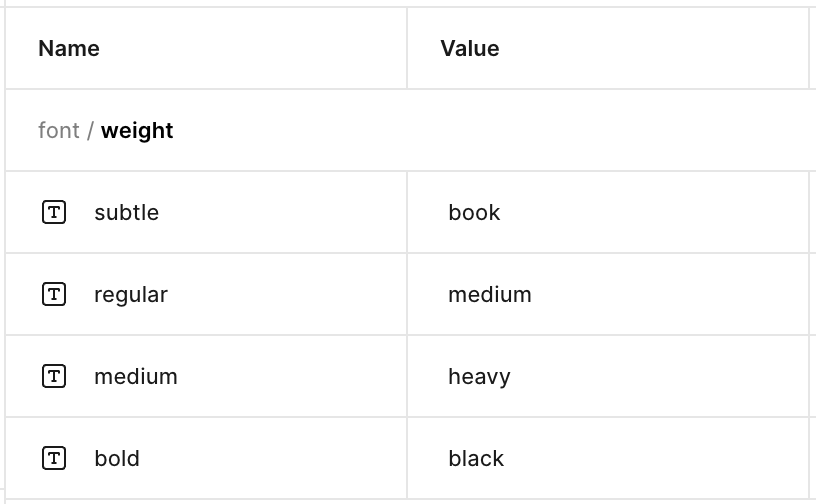
This formal style guide gave us clear guidelines for making consistent design decisions throughout the project. It also functioned as a living system; as we built out the UI kit, we continued to expand and refine these core foundations as needed.
We finalized on 10 variables for every core element (e.g. colors within the blue and grey families which are used heavily across the app) and 5 variables for supporting components (e.g. colors like yellow and green which are for caution and success states but not often used in the app).


creating the UI KIT, FROM ATOMS TO MOLECULES
We first created atoms: the basic UI elements that would become the building blocks of the system.
Atoms needed to be flexible enough to appear across multiple ClassPass flows, but specific enough to preserve brand consistency. For example, a button used to book a class and a button used to edit account settings might have different priority levels, but they should still feel like they belong to the same product.
design decision 01: consolidating the buttons
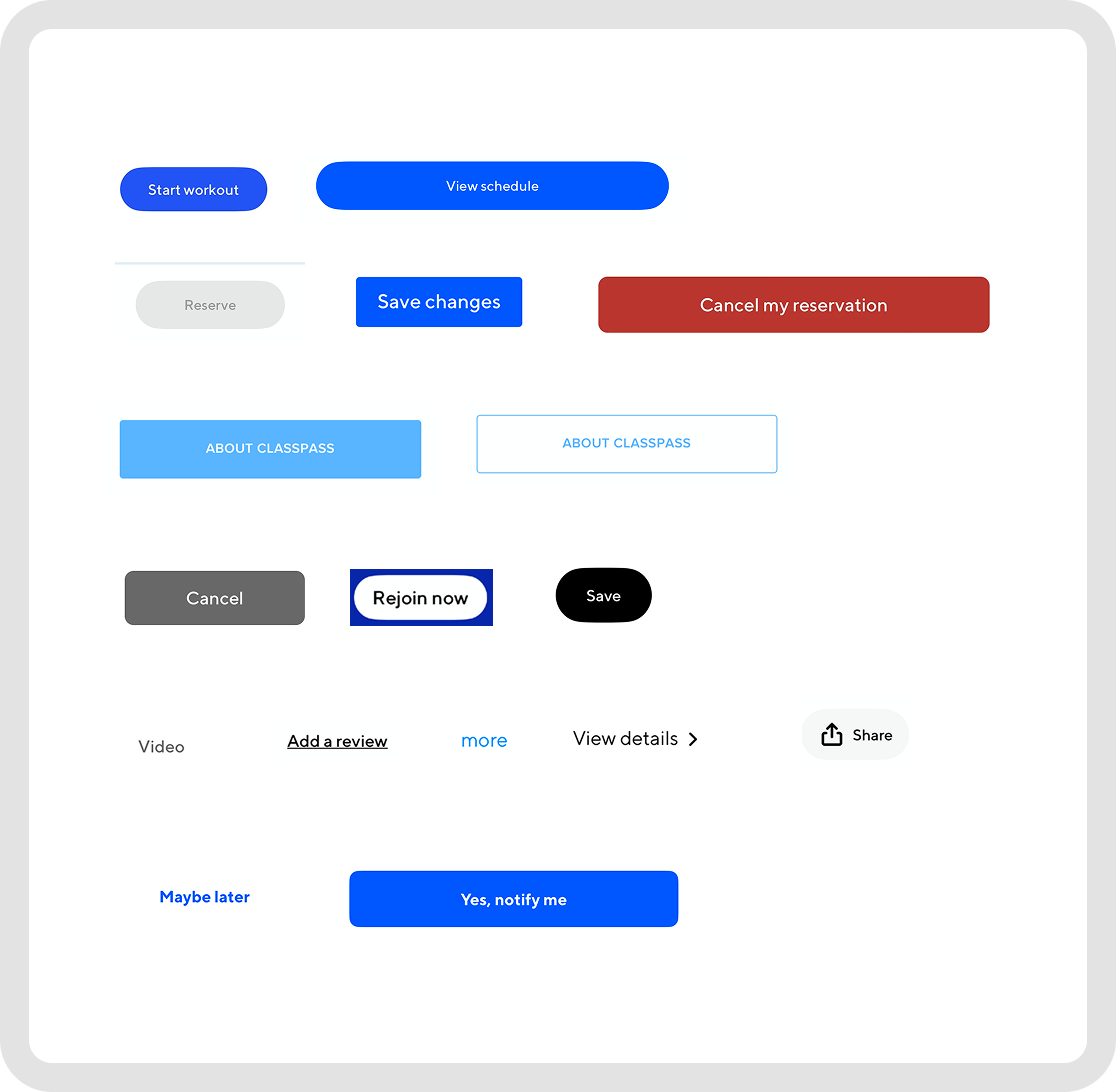
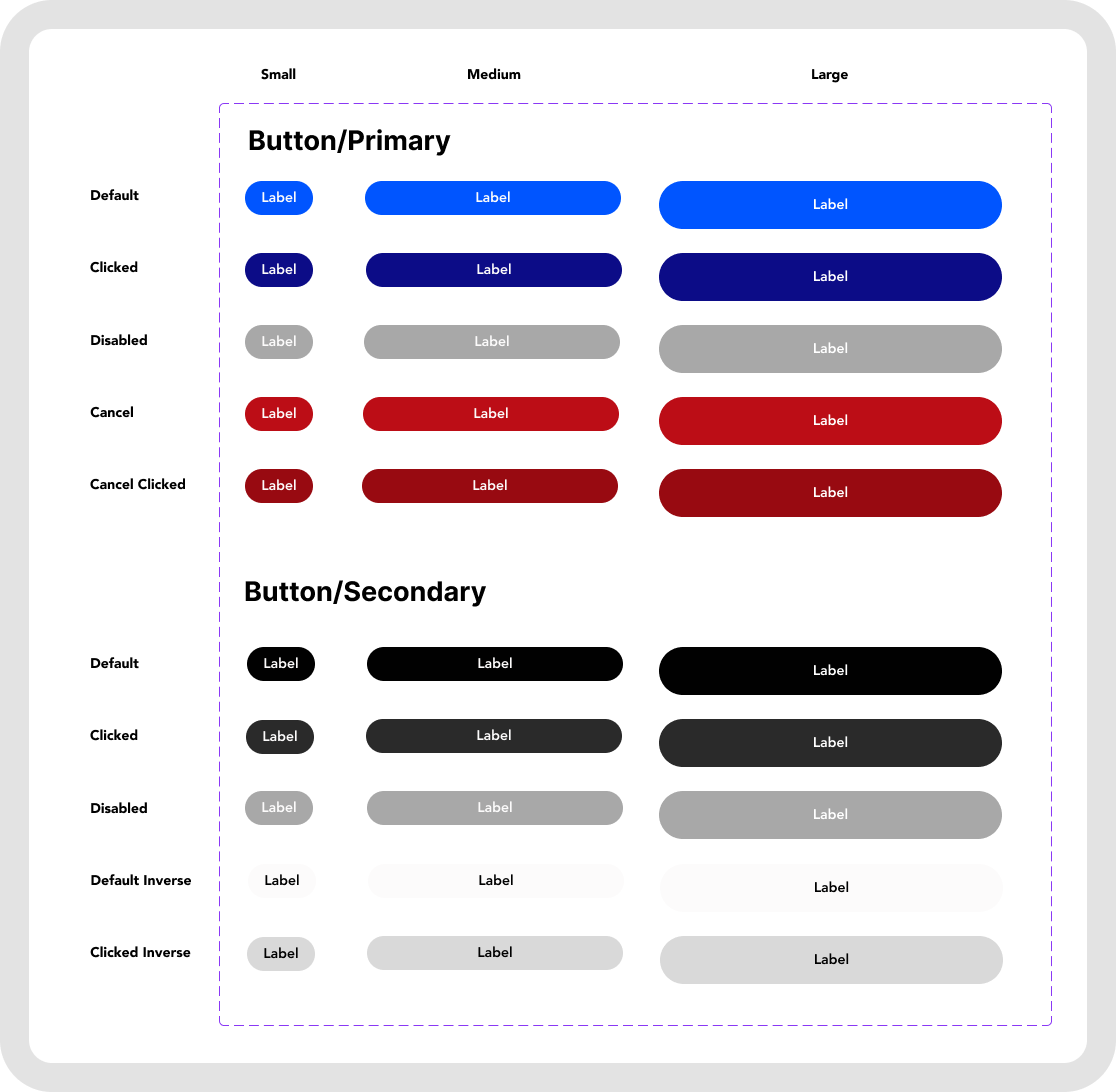
BEFOREAFTERTo rebuild the system from atoms to molecules, we started by streamlining one of the most repeated interface elements: buttons.
Our audit revealed a wide range of button styles across the ClassPass app, many with inconsistent sizing, colors, states, and hierarchy. We consolidated these variations into a flexible button system with clear primary, secondary, disabled, clicked, and cancel states across multiple sizes. This gave us a more consistent foundation to build from, while making the components easier for designers to use and easier for developers to implement.
design decision 02: STANDARDIZING THE TYPOGRAPHY
Our audit revealed too many typography styles across the app, creating inconsistent hierarchy and making each screen feel slightly disconnected.
BEFORE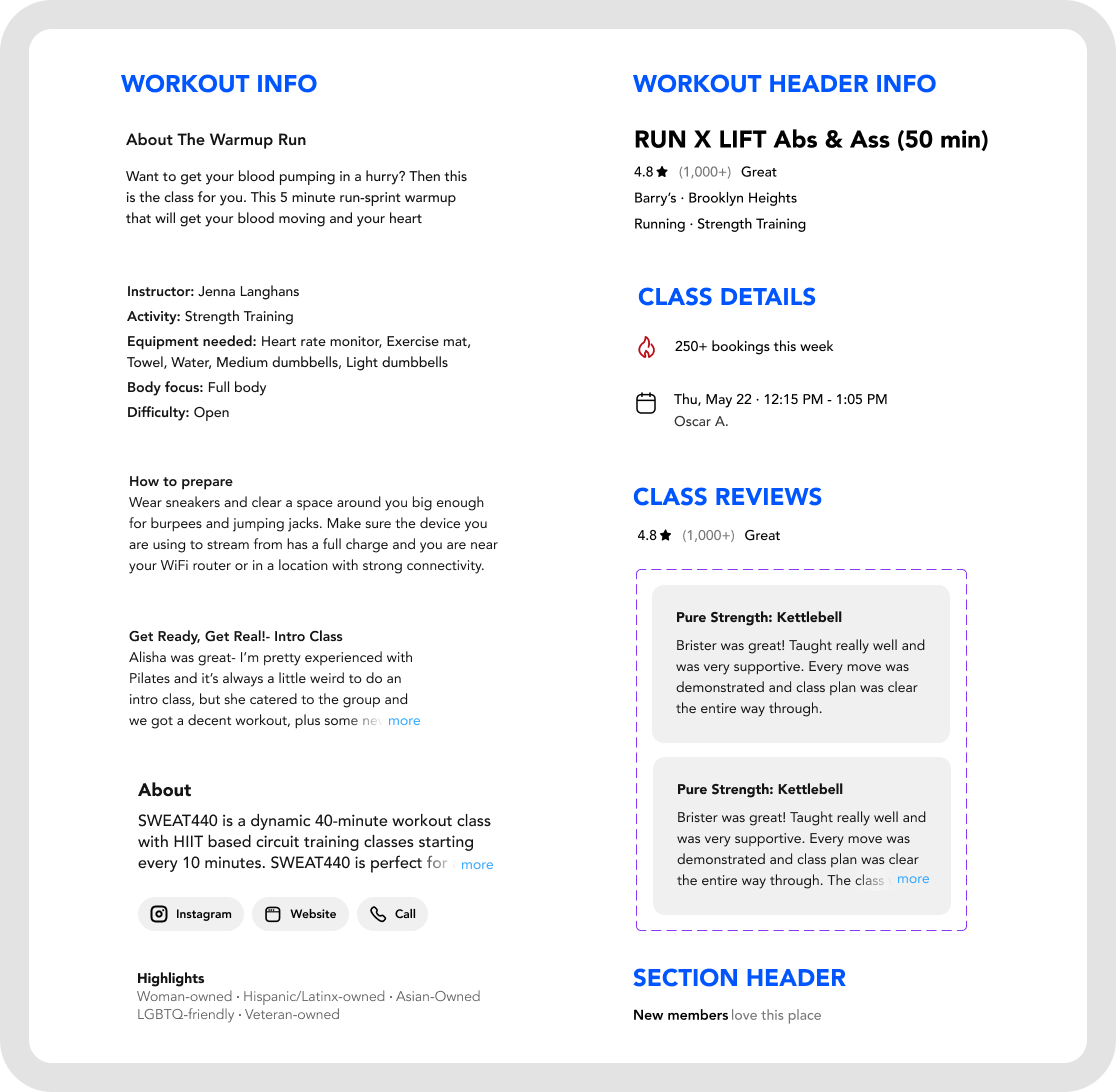
We then applied the new typography structure to real interface components, creating consistent headers, labels, body copy, and content sections across the app.
AFTER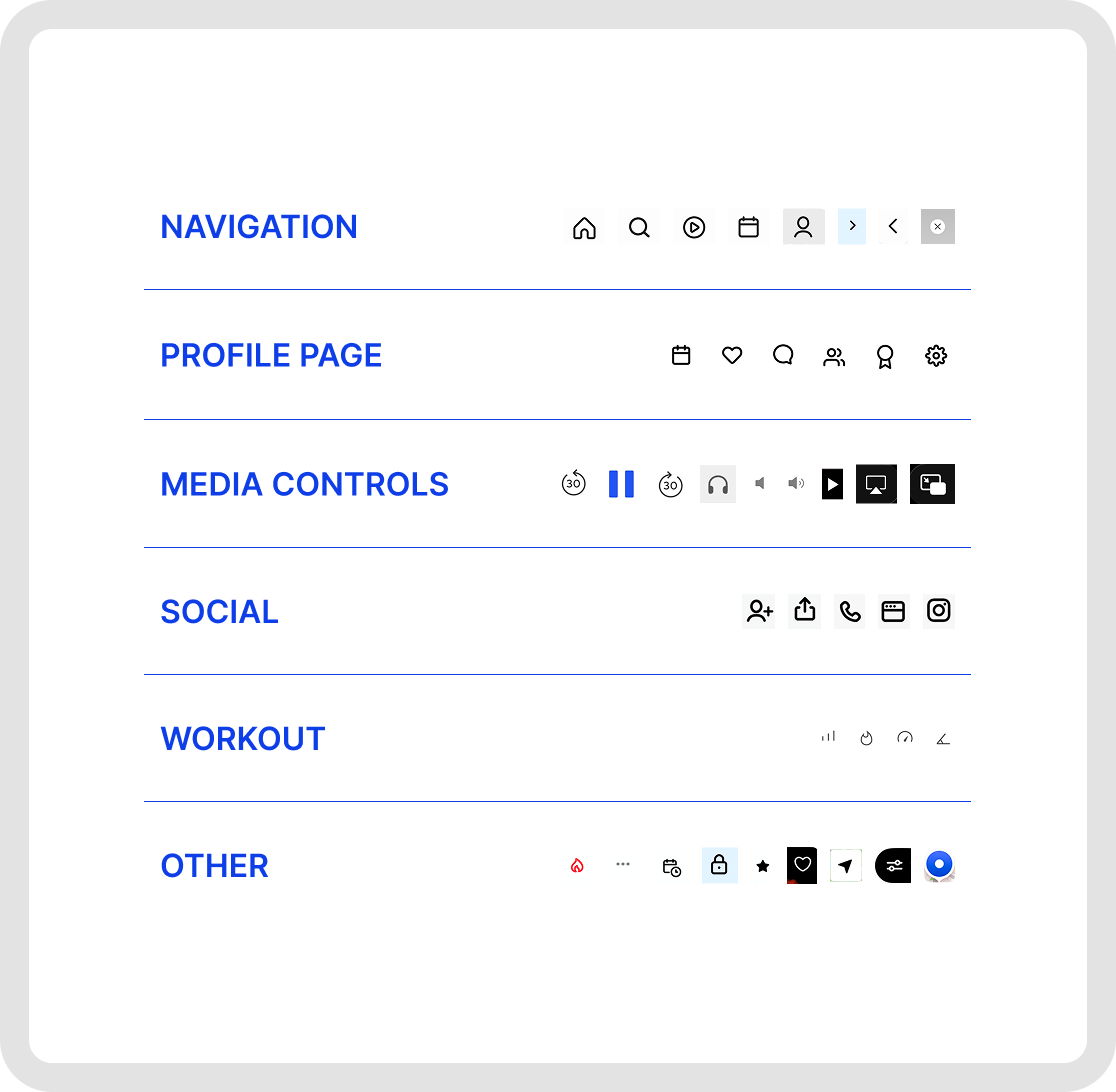
design decision 03: DEFINING THE ICON FAMILY
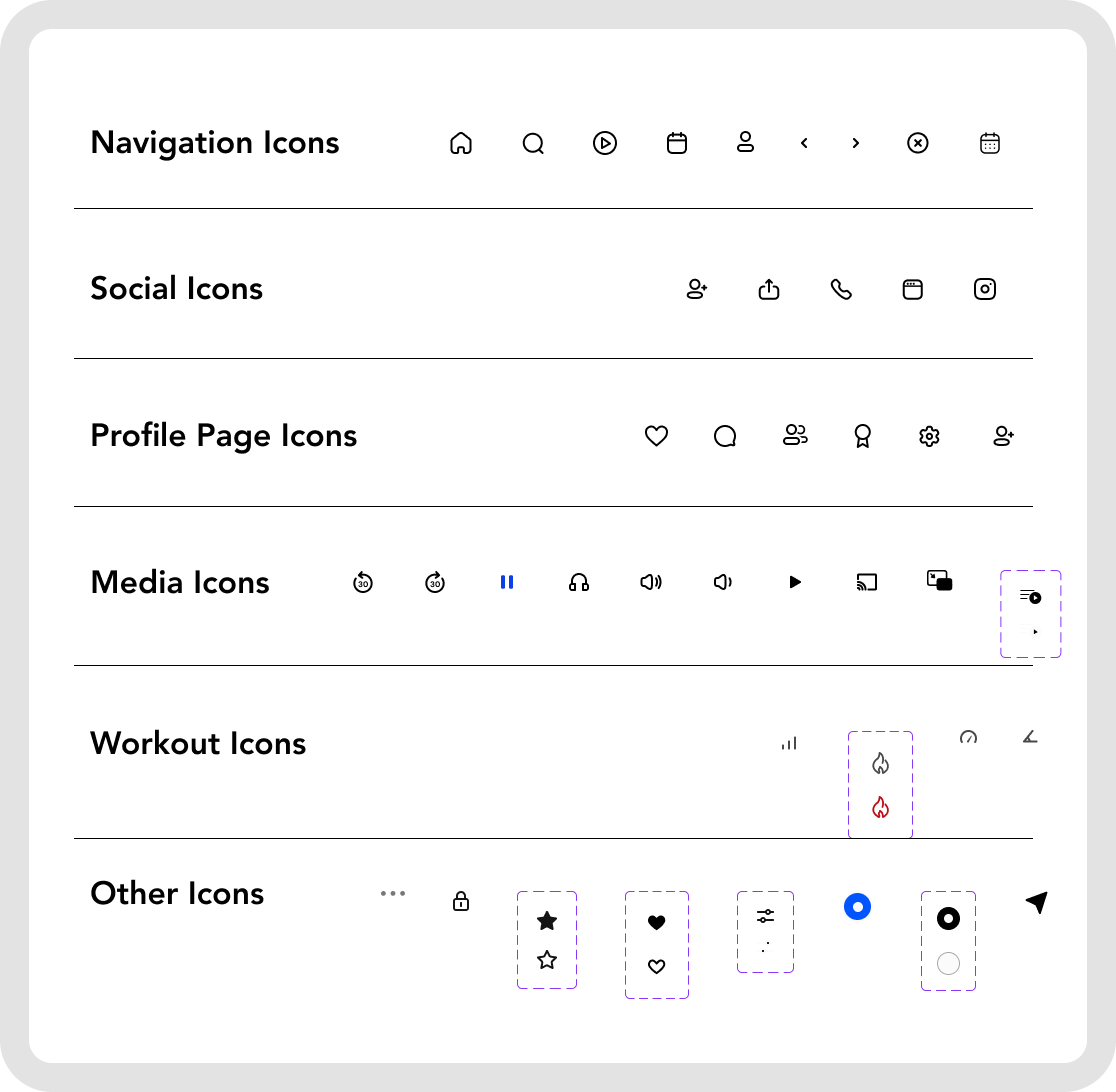
BEFOREAFTER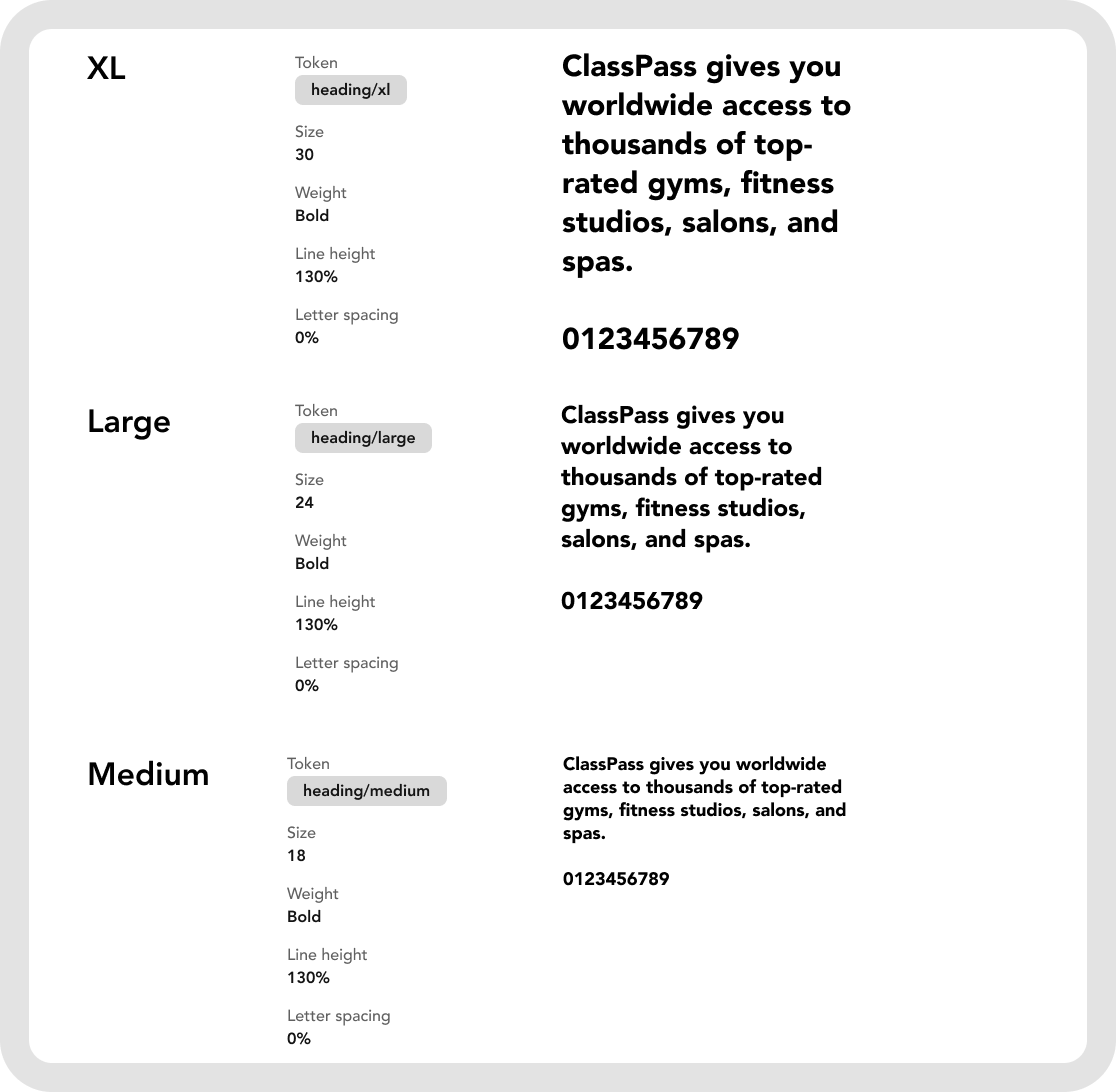
We simplified the type system into clear, reusable styles with defined sizes, weights, line heights, and tokens to create a stronger foundation.
NEW TYPOGRAPHY STRUCTUREFor our third design decision, we defined a cohesive icon family for Hercules. The original ClassPass app used icons with inconsistent stroke weights, styles, colors, and sizes, which made screens feel visually disconnected.
Our challenge was finding icons that covered the app’s specific needs, including workout, media, and statistic icons, while still feeling unified. To solve this, we selected icons from five different libraries with similar visual styles, then narrowed the set to only the most necessary categories. This gave designers and developers a focused, usable icon system without overwhelming them with an oversized library.
Once the atoms were defined, we moved into larger component groups.
ClassPass depends heavily on repeated content structures. Users browse classes, compare studios, view availability, and make booking decisions. These flows rely on cards, filters, lists, and detail pages.
By turning these into reusable molecules and organisms, Hercules makes it easier to create new pages without reinventing the structure each time.
design decision 04: CREATING SCALABLE COMPONENTS & PATTERNS
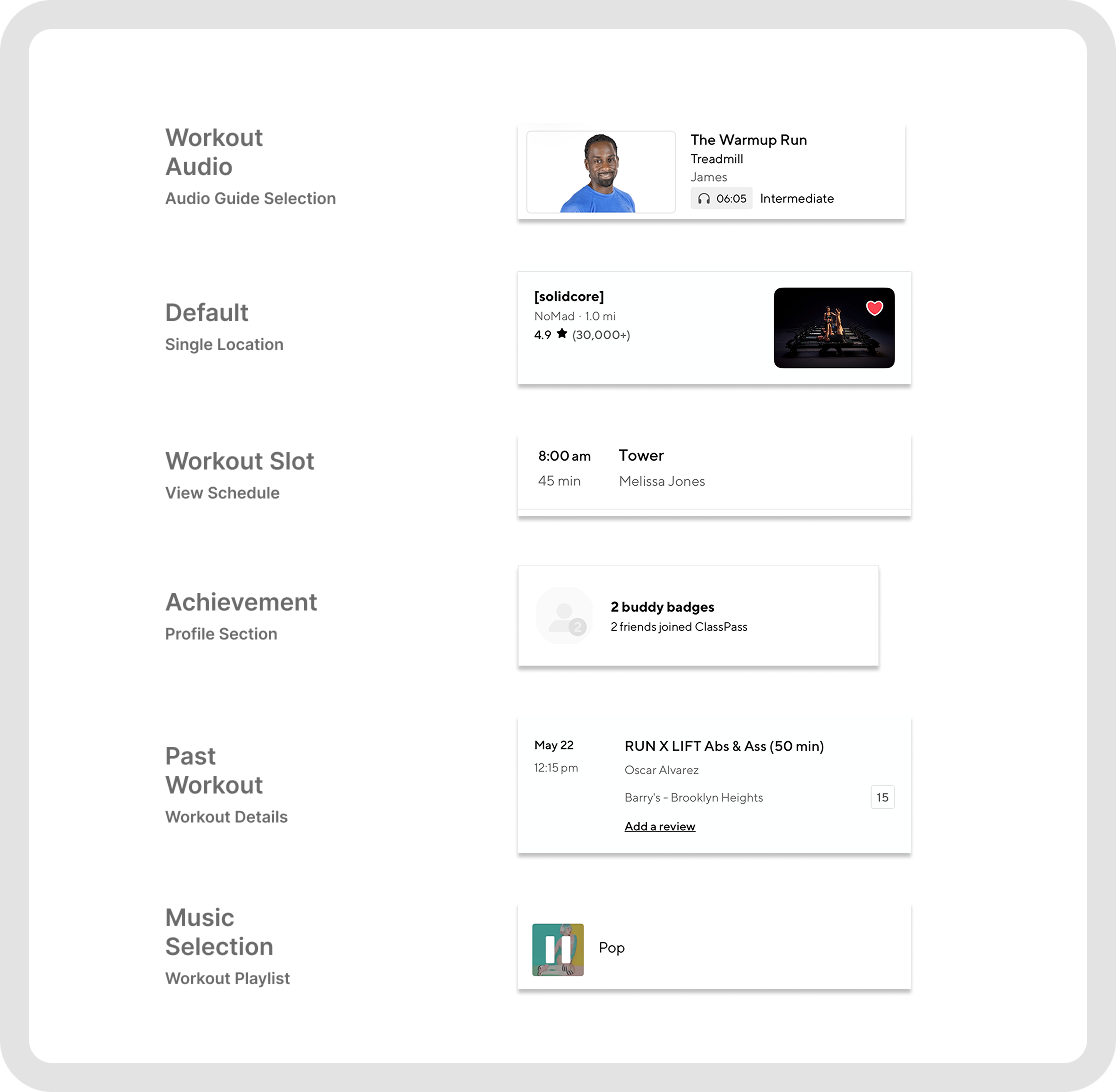
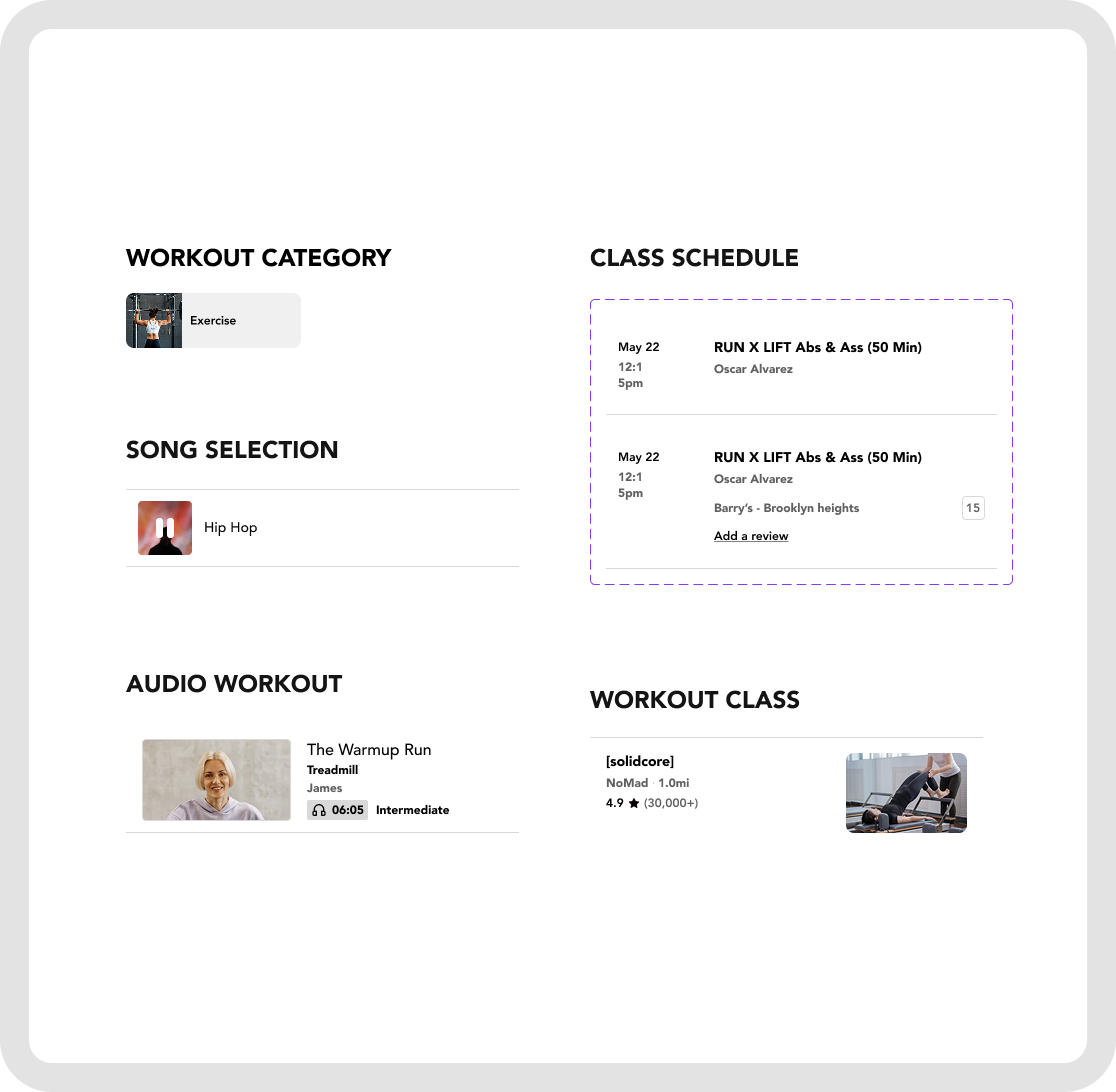
BEFOREAFTERThe ClassPass app relies heavily on list-based experiences, from class schedules and search results to audio and video workouts. Using our established foundations, we created reusable list item components that allow teams to quickly assemble new pages and scale existing ones. This makes it easier for ClassPass to support future business needs, such as new studio launches, expanded class types, or new wellness verticals.
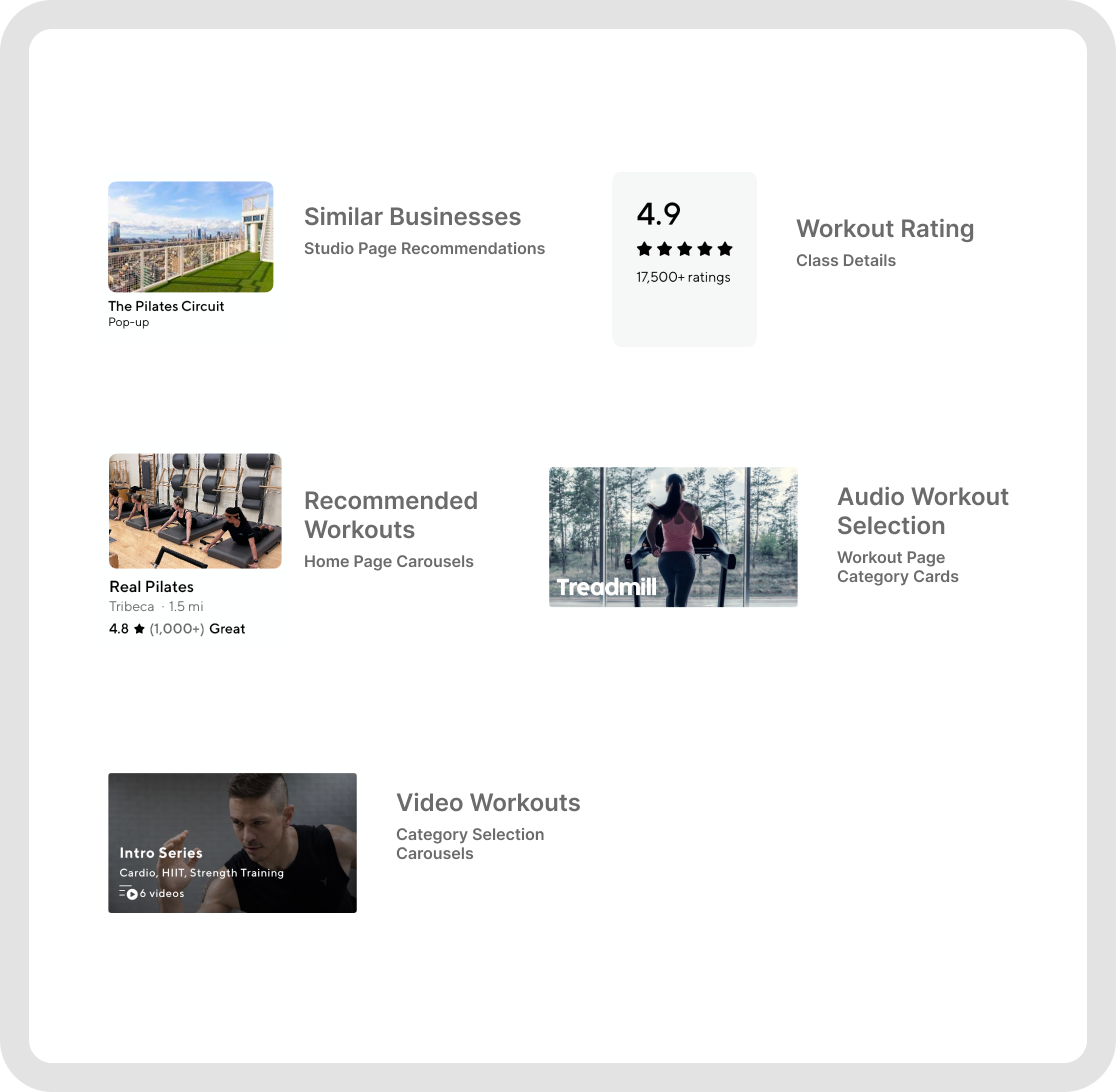
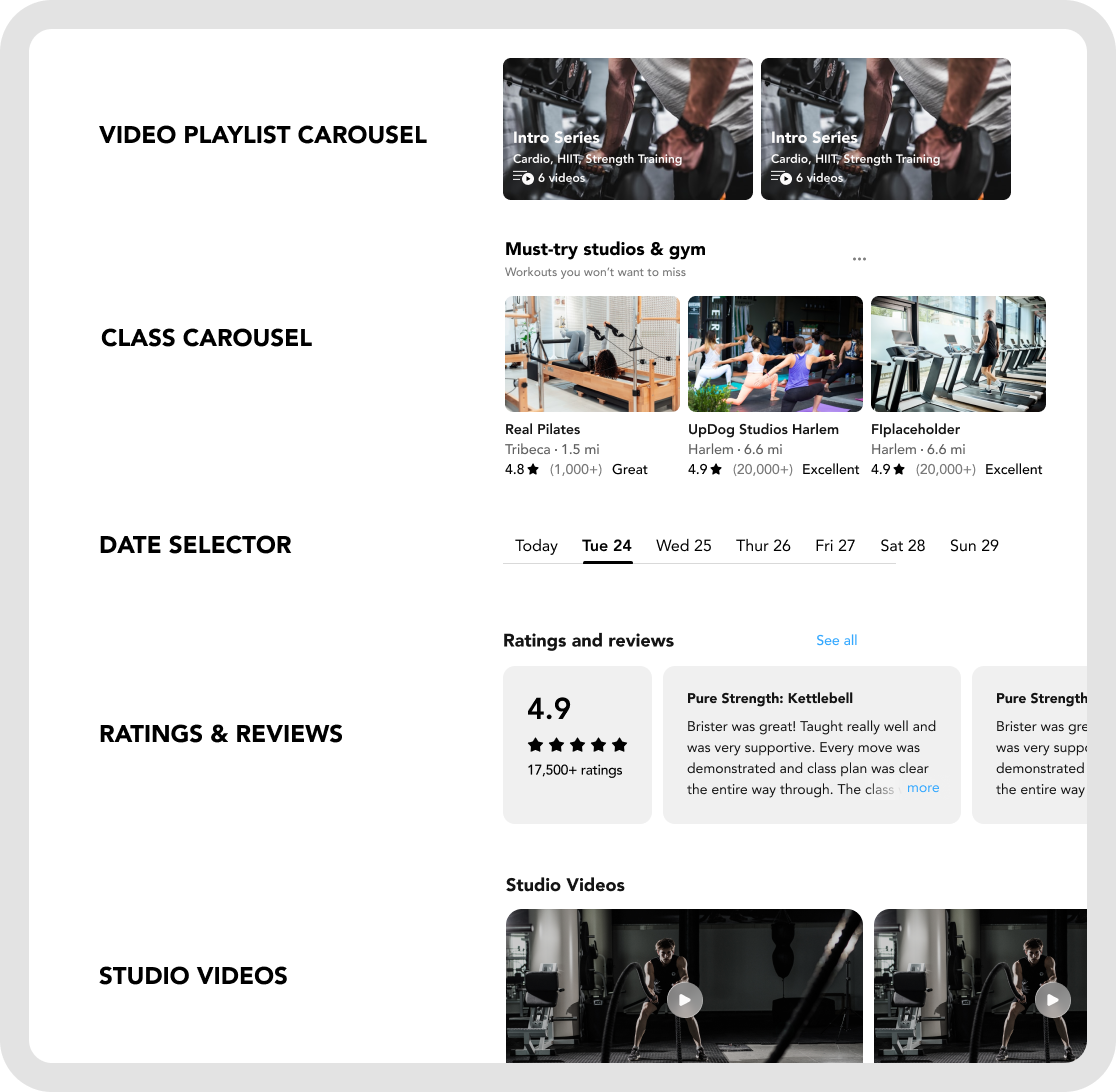
BEFOREAFTERCarousels are another component that appear throughout the ClassPass app, from recommended studios and workout videos to ratings and class discovery.
Because these patterns repeat across multiple sections, we turned them into scalable carousel components. Allowing designers to reuse these instead of rebuilding each layout from scratch would create more consistency across browsing experiences.
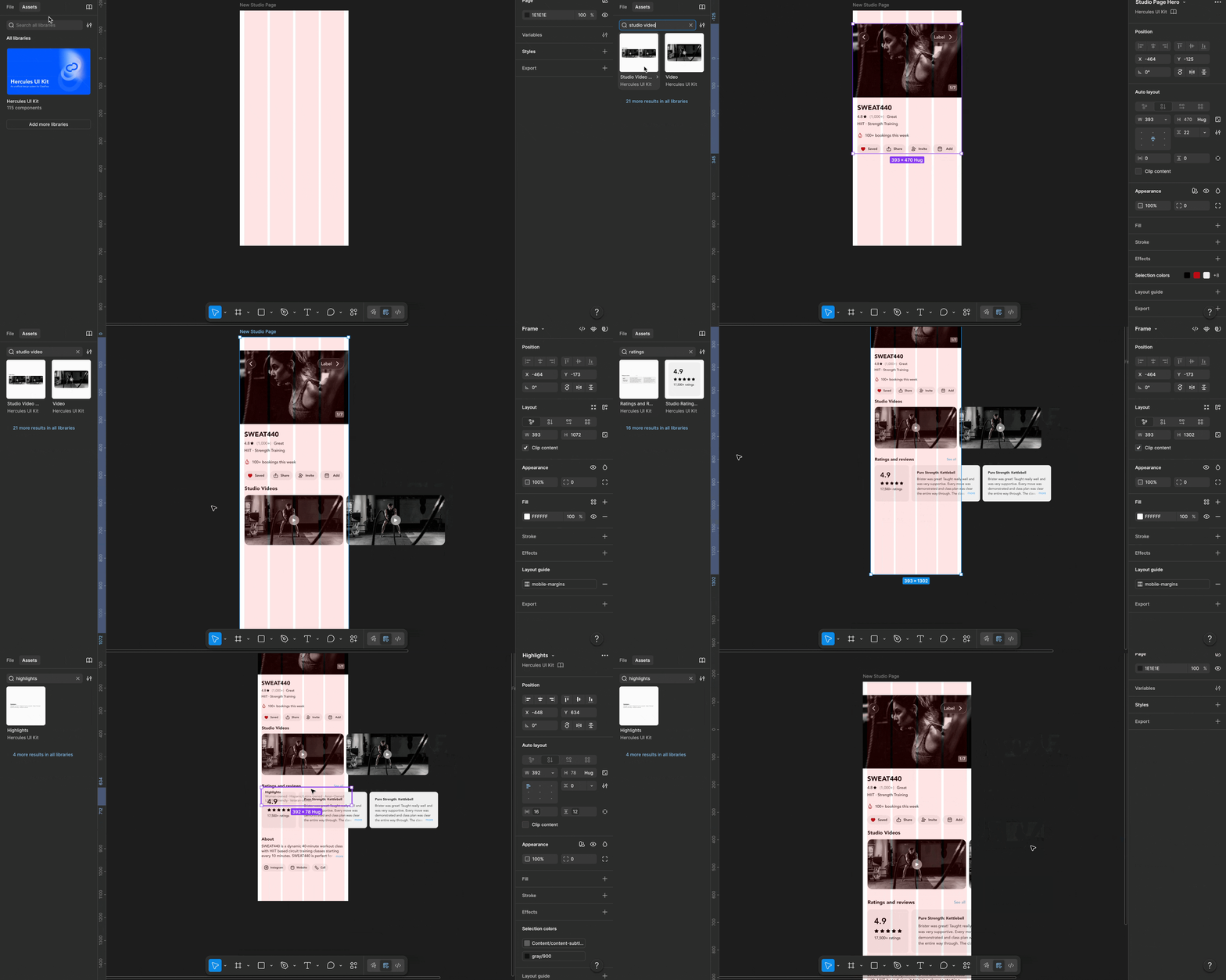
design DEMO: USING THE UI KIT TO RECREATE a CORE SCREEN
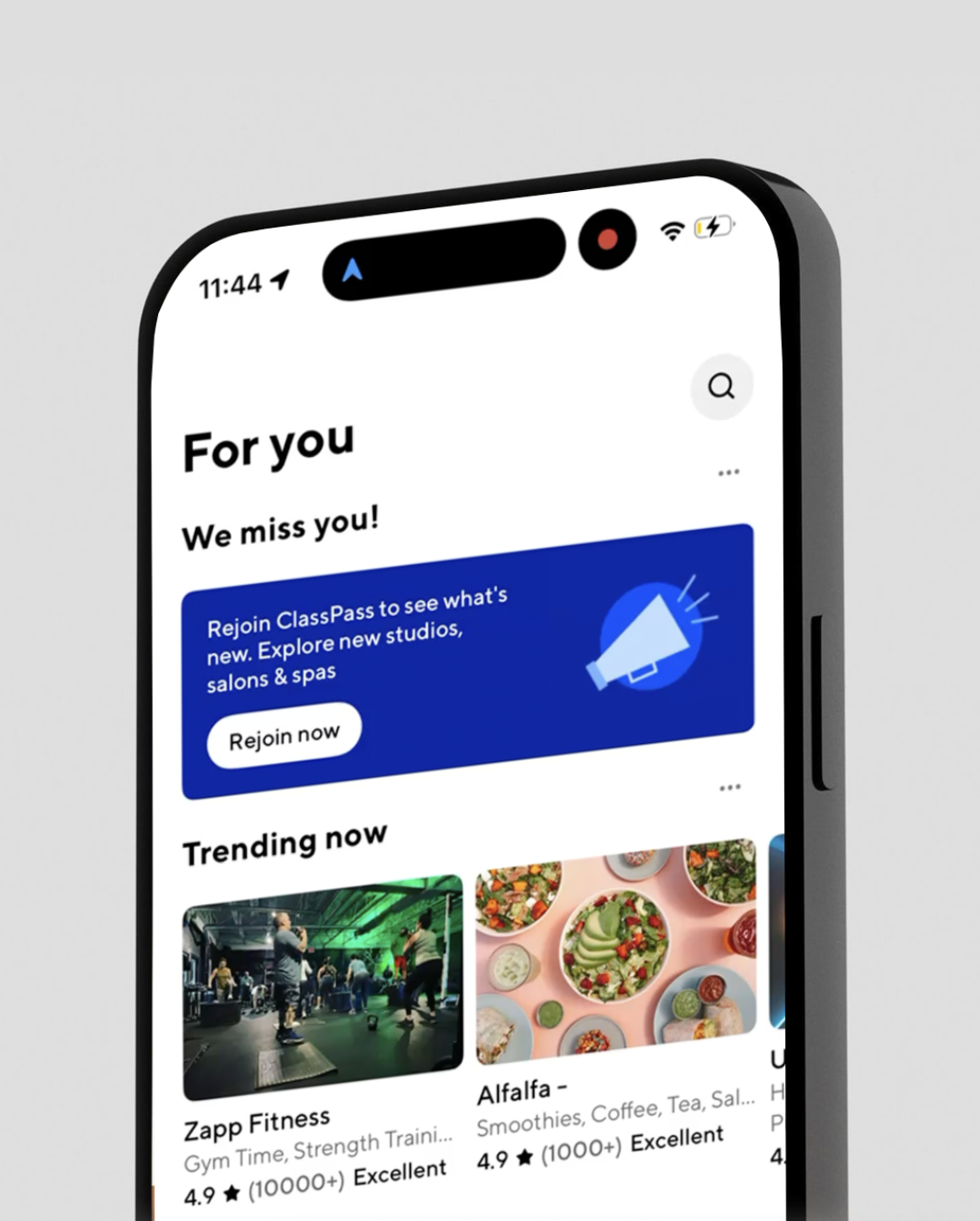
Here is a demo of our UI kit in action

Testing showed that Hercules was useful, but the file structure needed to be clearer.
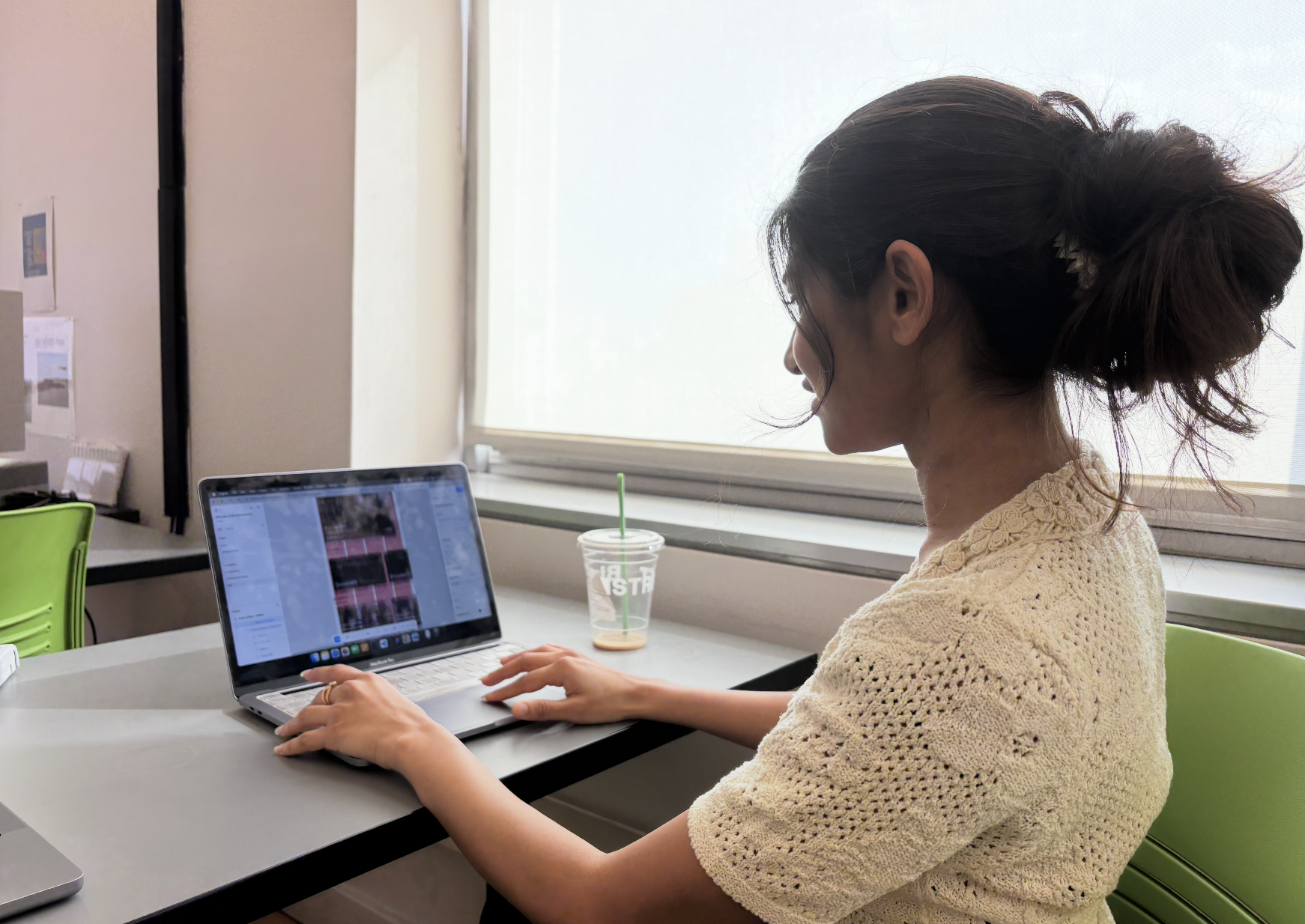
After creating the component library, we tested the UI kit to evaluate whether components were understandable, findable, and easy to use. Here we found that designers struggled to find components under broad pages like Foundations, Components, and Component Groups. Some labels looked like part of the components, users accidentally copied grids, and recurring patterns like tabs or video playlists were harder to locate than expected. We also found that some component groups needed clearer spacing and margin rules.
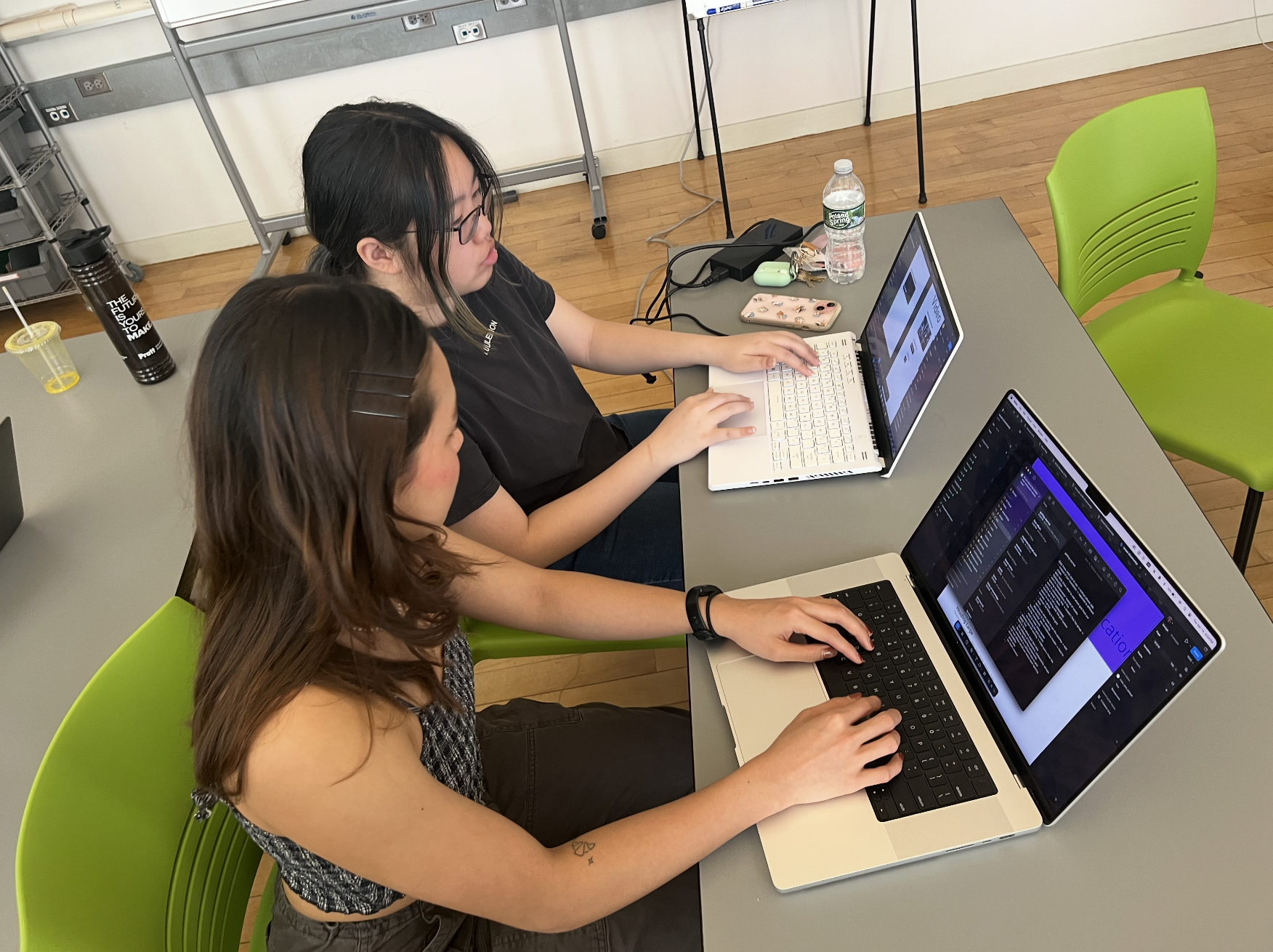
OUR ITERATION
Based on this feedback, we restructured the system so Foundations, Components, and Component Groups became section dividers instead of main pages. Each major component now has its own page, such as buttons, tabs, headers, dividers, cards, and carousels.

guidelines for hercules
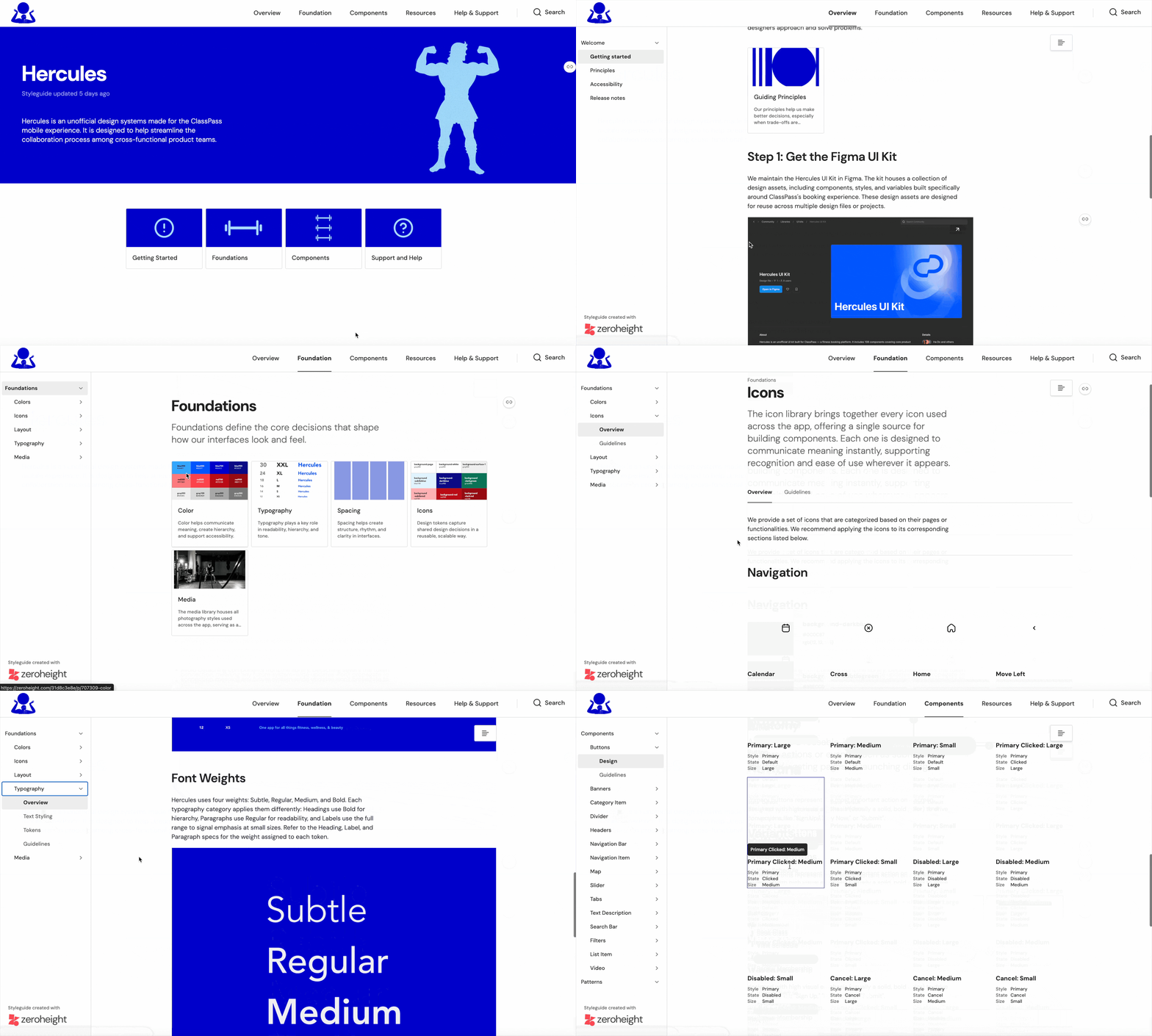
A design system without documentation is difficult to adopt. That is why we used the documentation platform ZeroHeight to turn Hercules from a collection of components into a shared product resource.
This documentation is a central source of truth that contains the design principles, foundation tokens, component libraries and usage guidelines. It acts as a design guide by combining visual specs and "do's and don'ts" to ensure consistent, accessible, and scalable product development.

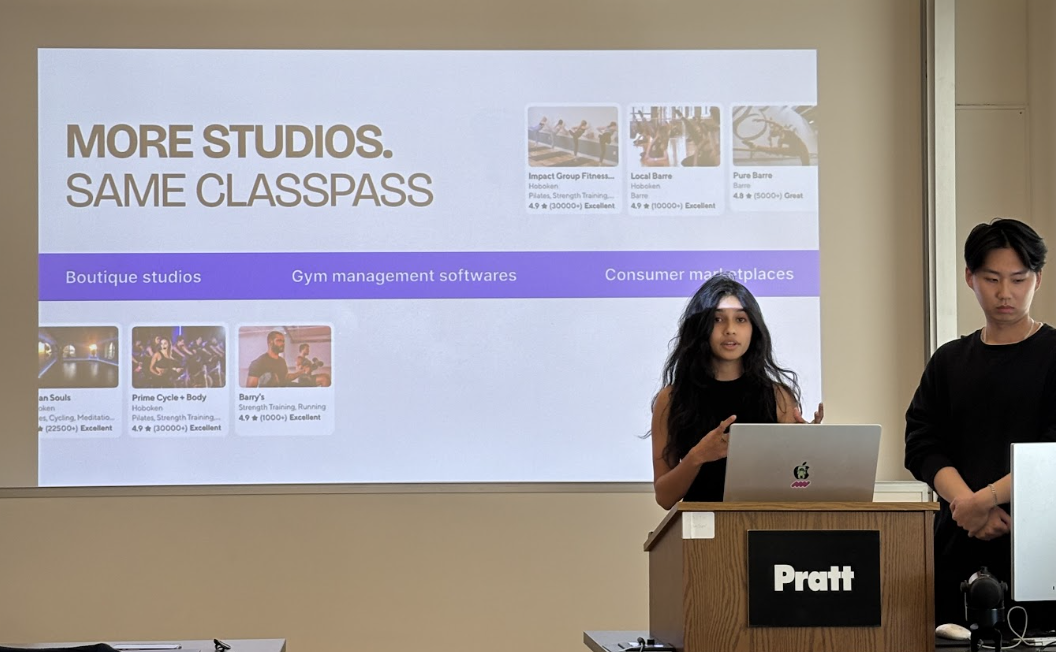
We created a pitch for a jury of mock ClassPass executives to convince them as to why they should adopt our design system. This presentation outlined how Hercules makes the product feel more polished and trustworthy for users, and how it also helps internal teams work faster by giving designers, developers, and project managers shared guidelines, clear documentation, and ready-to-use components.
pitching our design system
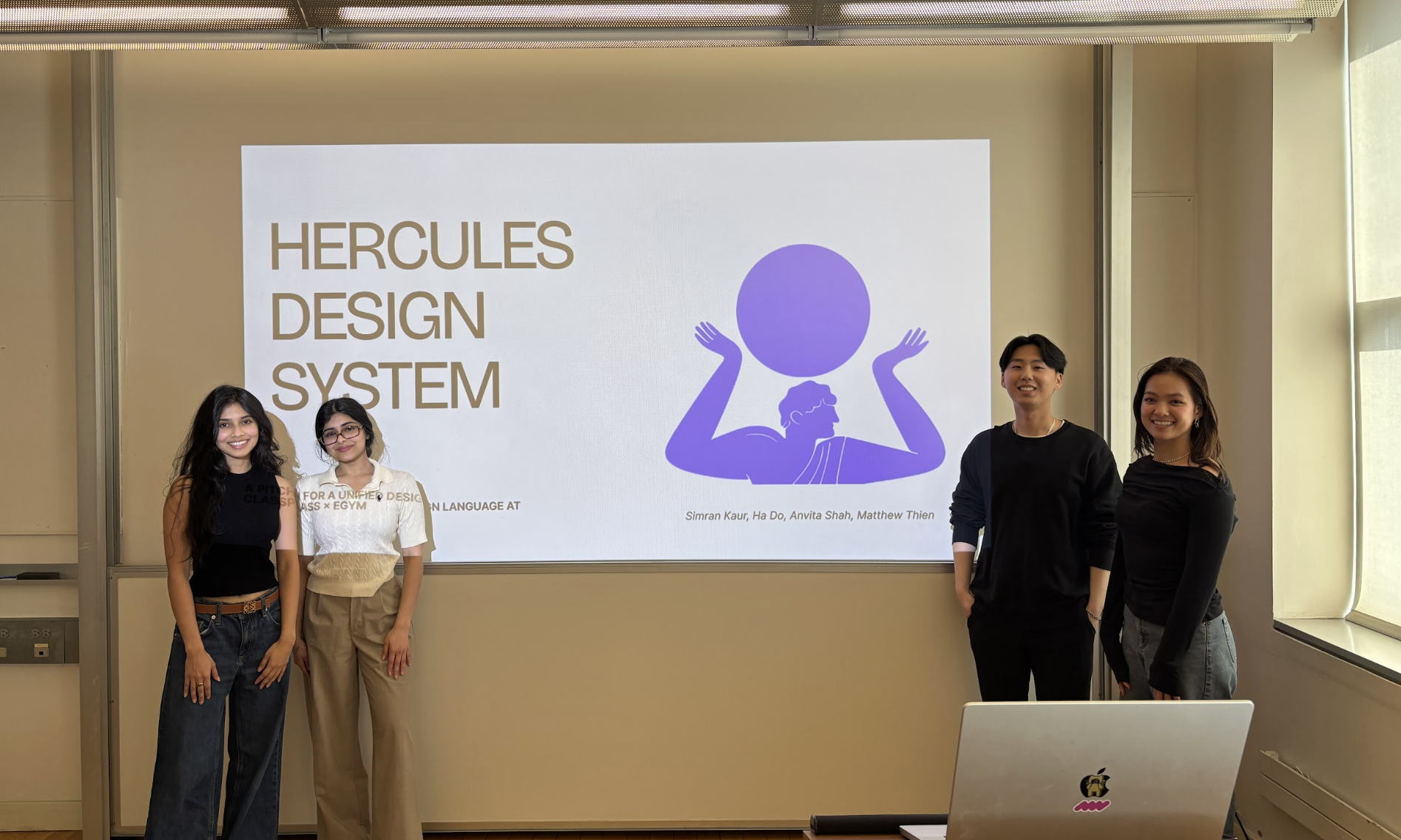
The design jury was sold on Hercules
After our pitch, there was a consensus across our critics that the business benefits of Hercules have measurable impact and that it was a strong case as to why Hercules should be adopted as a design system by ClassPass.
next steps for hercules
What is the long-term product infrastructure for ClassPass x Hercules?
The immediate focus is adoption: launching the mobile MVP and expanding the system across more pages. From there, Hercules can move into developer handoff, stronger governance, and a true platform model that supports ongoing contribution. Looking further ahead, the system can become AI-native, helping ClassPass teams design faster, scale more intelligently, and maintain consistency as the product grows.


A Design systems is not just a ui kit, but A living system of collaboration
1. Auditing comes before creating
The interface inventory helped us understand the product before trying to improve it. Without that step, we would have designed based on assumptions.
2. Naming and organization are design decisions
A component is only useful if people can find it, understand it, and use it correctly.
3. Accessibility needs to be built in early
Accessibility should guide component creation from the beginning, not be added after the fact.
4. Documentation drives adoption
A Figma kit alone is not enough. Teams need context, rules, examples, and support.